

50 Words or Less
The 15th Club golf GPS app is one of the best, most usable golf GPS apps. Free to use with a fairly-priced Premium mode that has meaningfully upgraded features.
Introduction
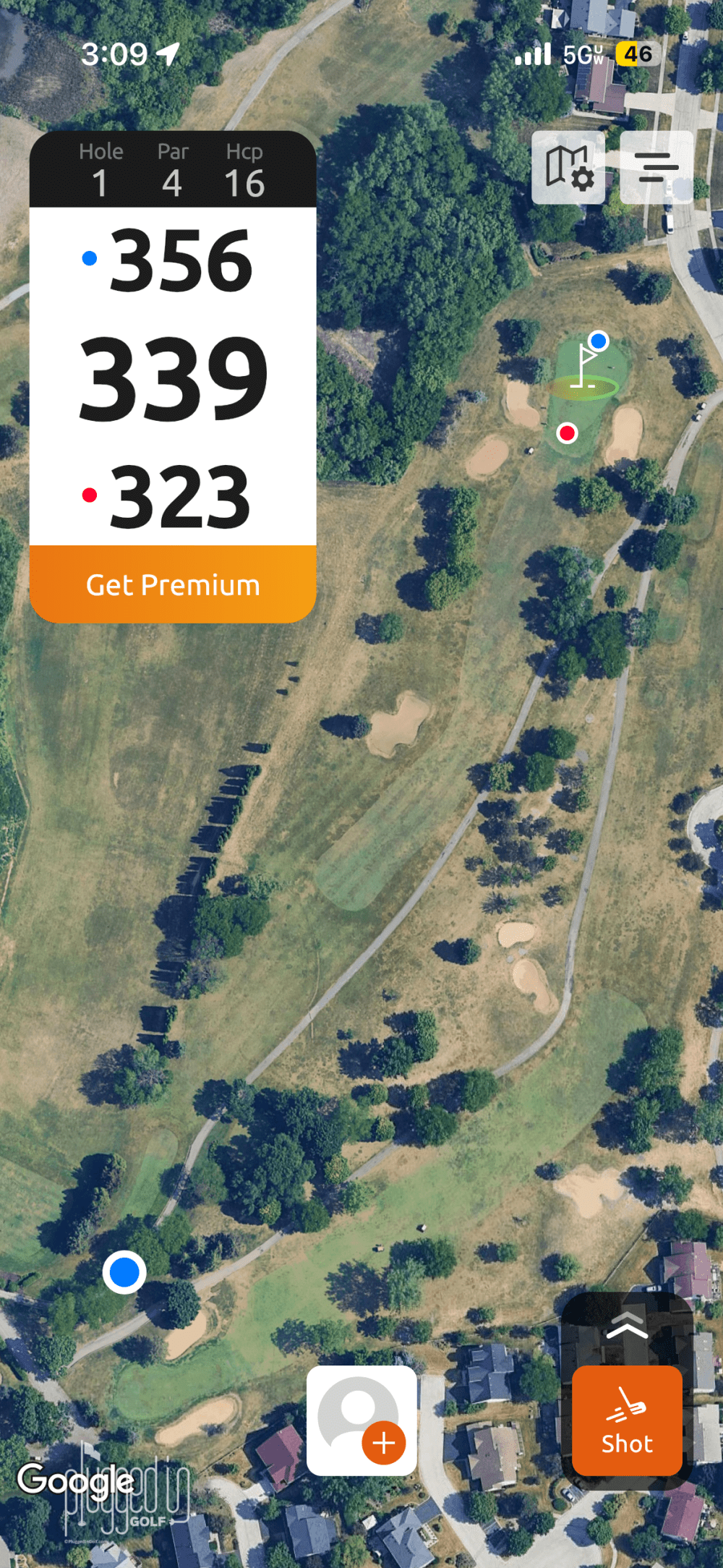
Every one of the ten million (I counted) golf GPS apps has their own claim to fame. Some say they have the best graphics, others the most scoring modes. The 15th Club golf GPS app states that their app simply has the best user experience. As a veteran of many, many golf GPS apps, that was a very appealing premise, so I loaded 15th Club onto my phone for a few early spring rounds.
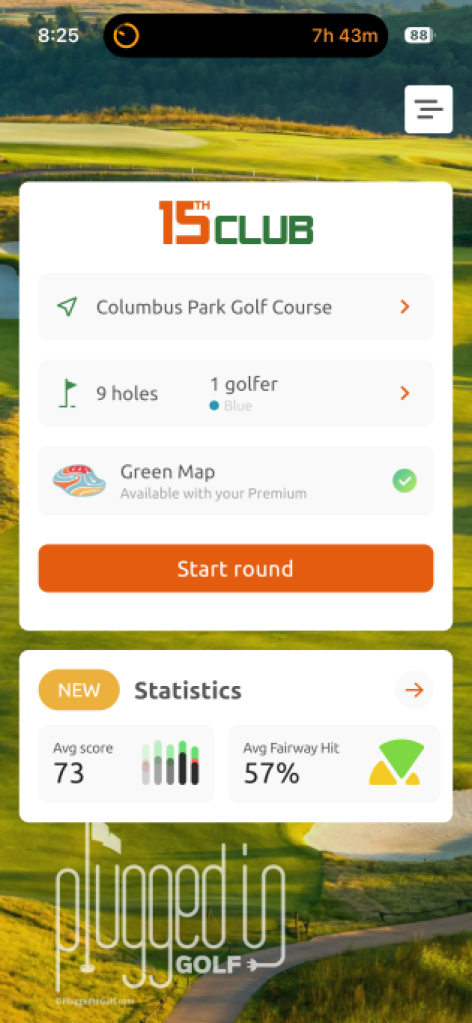
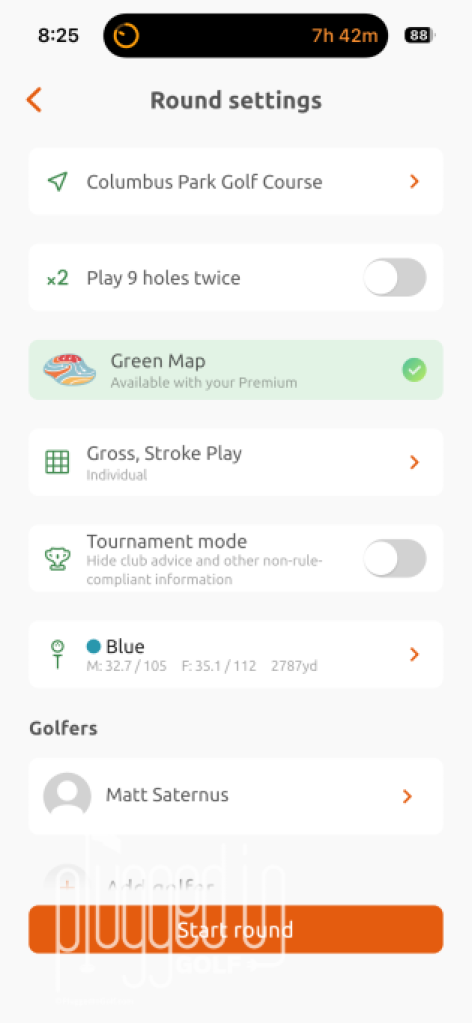
Ease of Use & Set Up
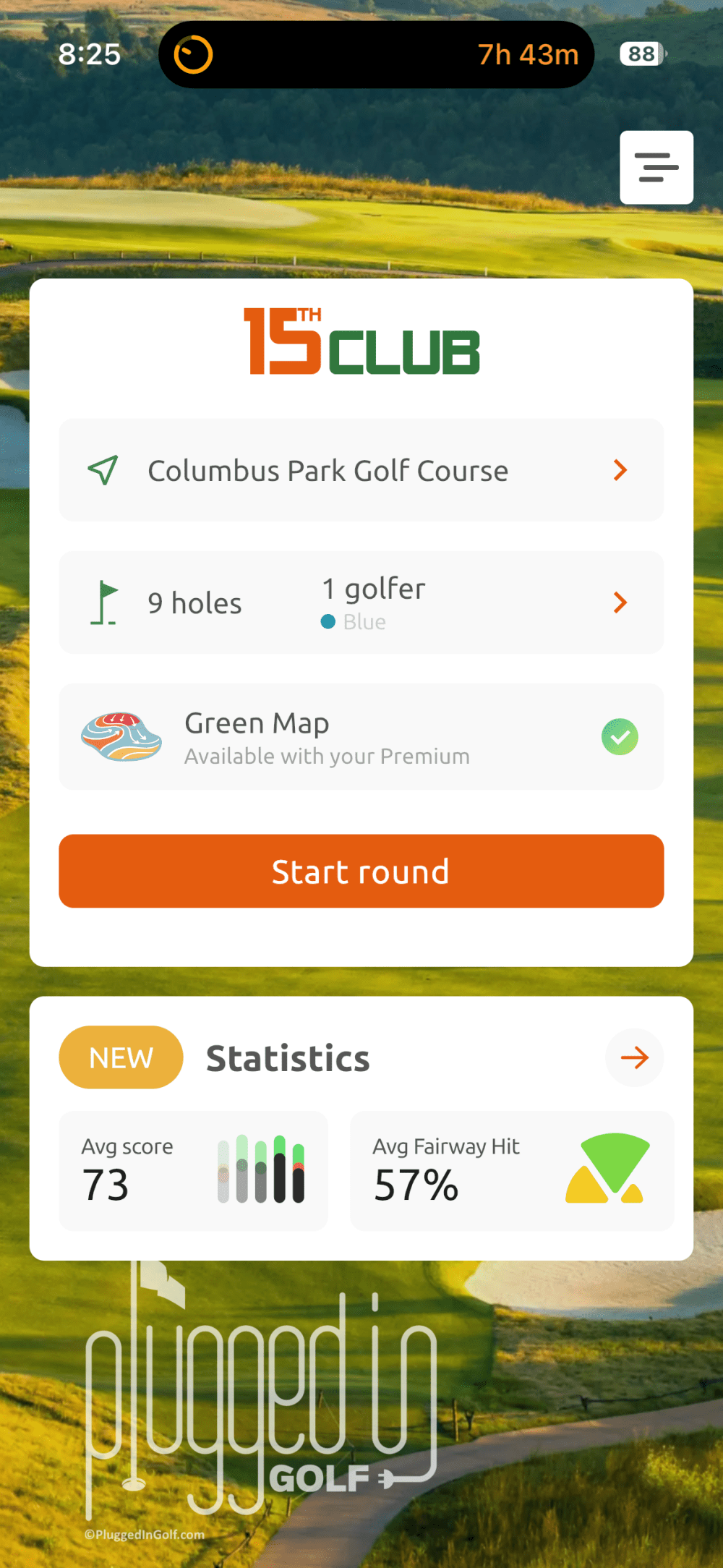
15th Club golf GPS app takes pride in having an intuitive, smooth user interface, and I’ve certainly found that to be the case. When you open the app, there are no menus or unnecessary options, you’re one tap from playing golf. The home screen (above, left) shows the courses that you’re at or near. You can tap below that to set options like scoring mode and tee (above, right), or you can get right to the game.
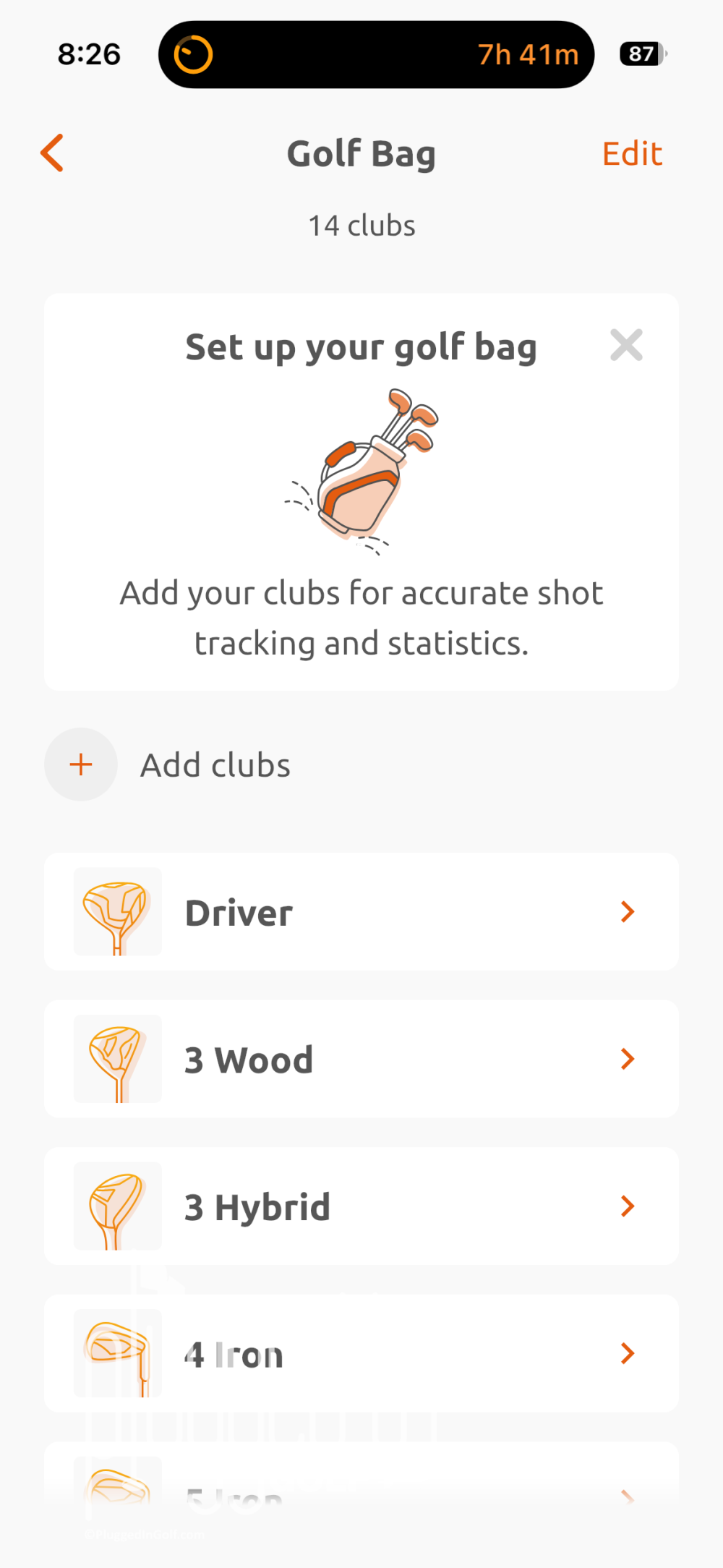
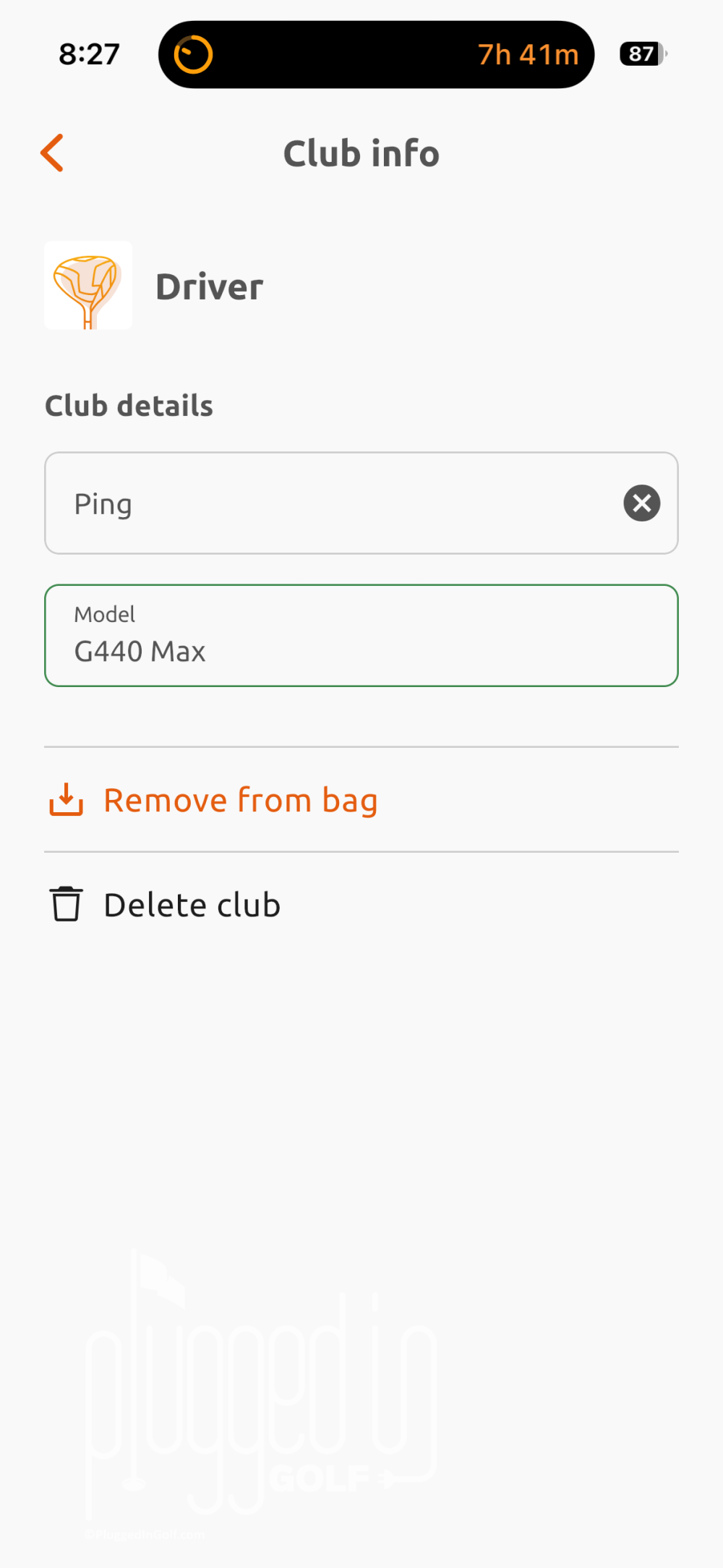
The only other thing you can or should do before playing is set up your bag. You can do this in detail – including club manufacturer and model – or with just a basic set composition. You don’t need to set up your bag, but you can’t do any shot tracking if you skip this step. [See Price / Buy]
Accuracy & Features
In the interest of being thorough, I played rounds with the 15th Club golf GPS app in both free and Premium modes. The free mode includes F/M/B yardages, basic statistics, shot tracking, multi-player scoring, team format scoring, and smart watch support for distances and shot tracking.
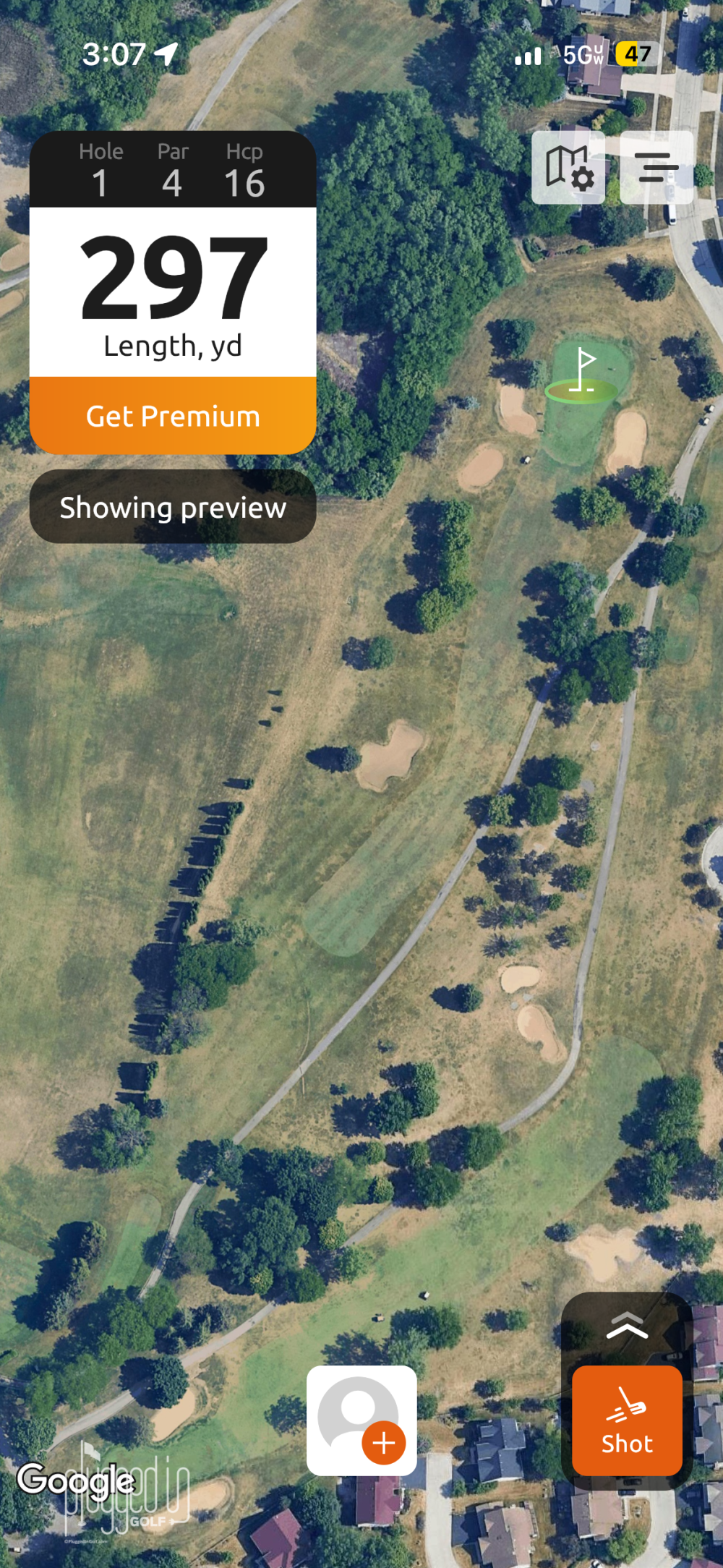
During my first rounds in free mode, I was impressed with the user interface, the speed of the app, and the accuracy. I had 15th Club golf GPS app running side-by-side with a handheld GPS and an on-cart GPS, and 15th Club was always within a yard and updated just as quickly. Also, it stayed ready even when I shut my phone off or changed to a different app. This seems like it should be a given, but it’s not – other apps will exit out of your round if you turn your phone off.
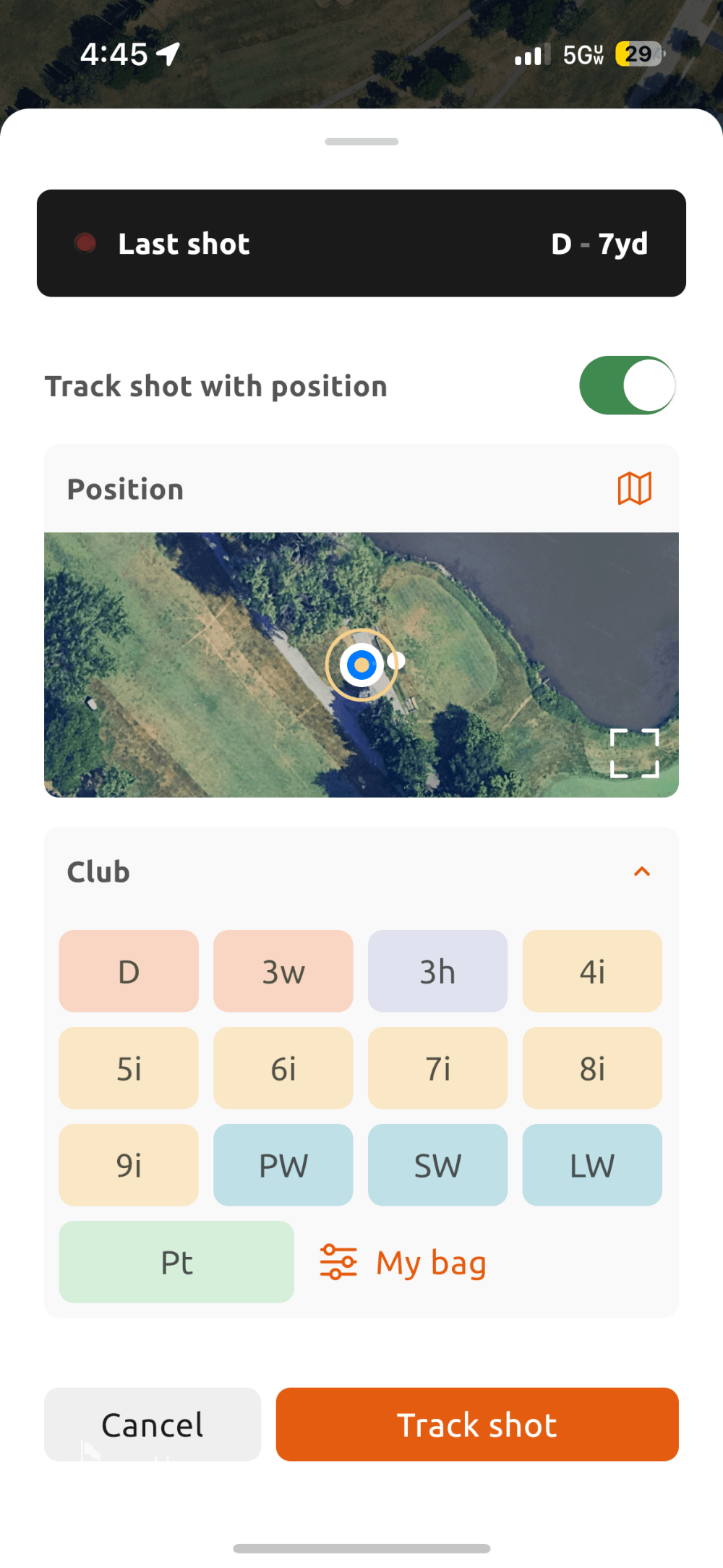
Shot tracking on 15th Club golf GPS app is really well done. You can record a shot in as little as three taps, and no more than four or five. Shot tracking does require a lot of screen time, especially on the greens when tracking putts, but it’s as well done as any app I’ve tried. Given that the Shot Scope X5 [review HERE] exists, I would not recommend manual shot tracking, but if you insist, this is the best version of it. I will also note that you need to stay on top of your shot tracking because adding or editing shots is not much fun. [See Price / Buy]
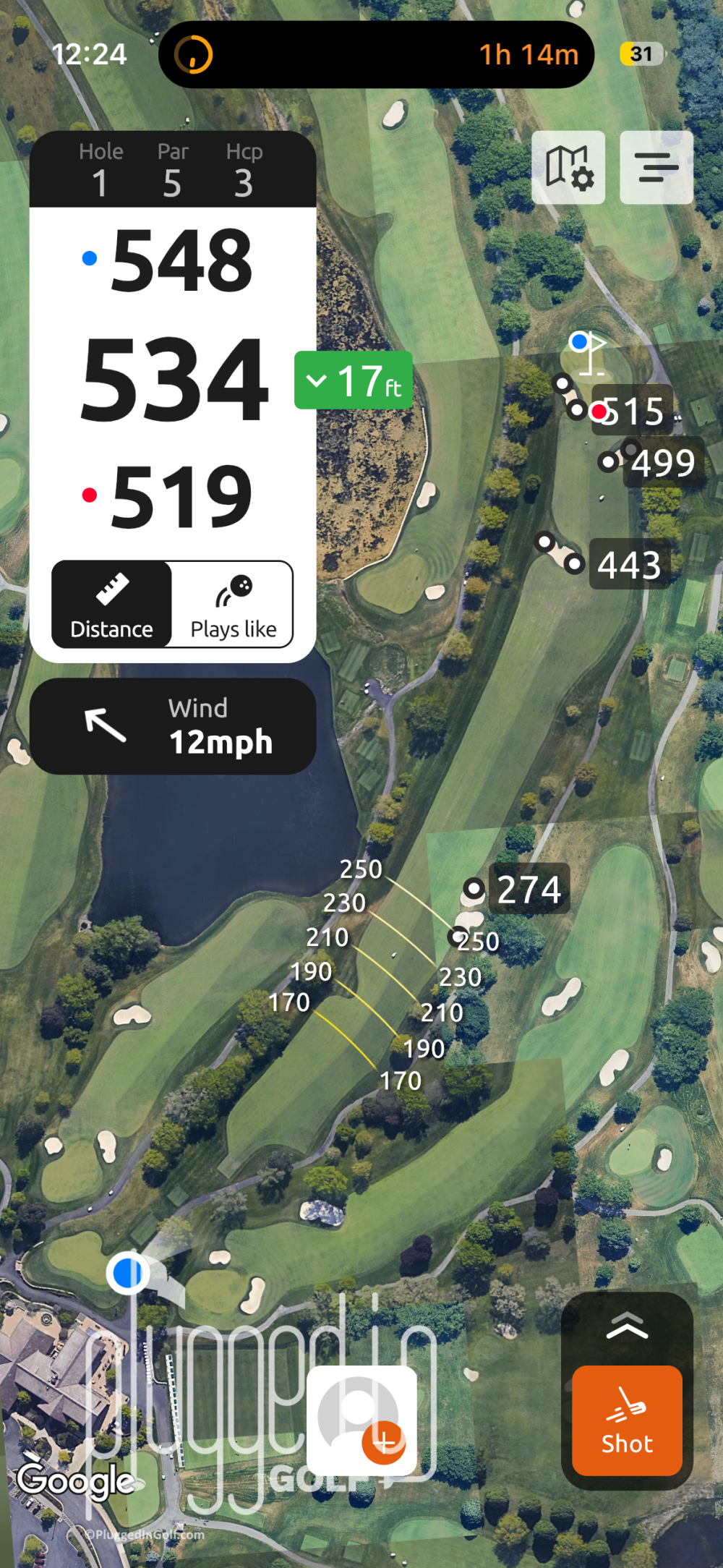
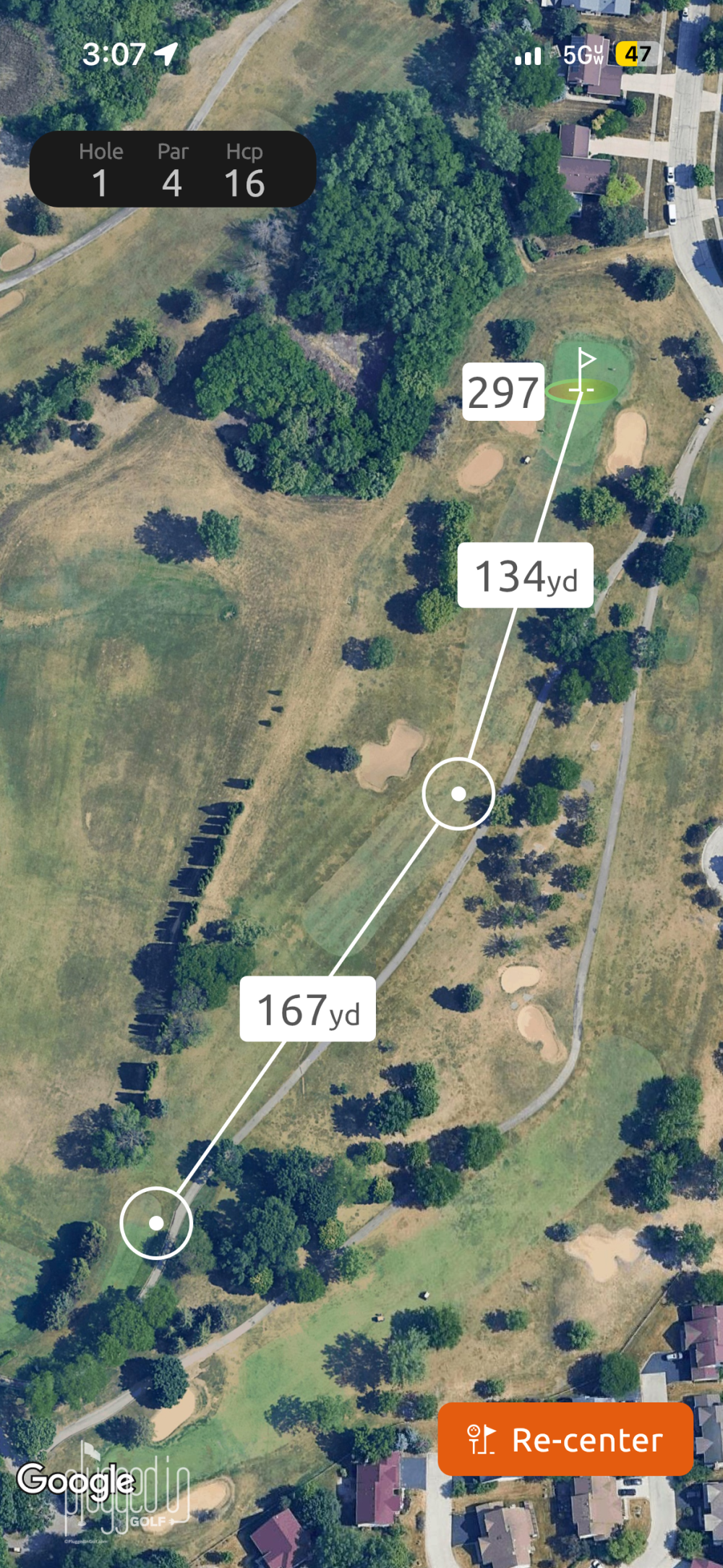
Upgrading to Premium unlocks numerous features: advanced stats, distance arcs, club recommendations, “Plays Like” distances, as well as swing detection and aerial maps on your smart watch.
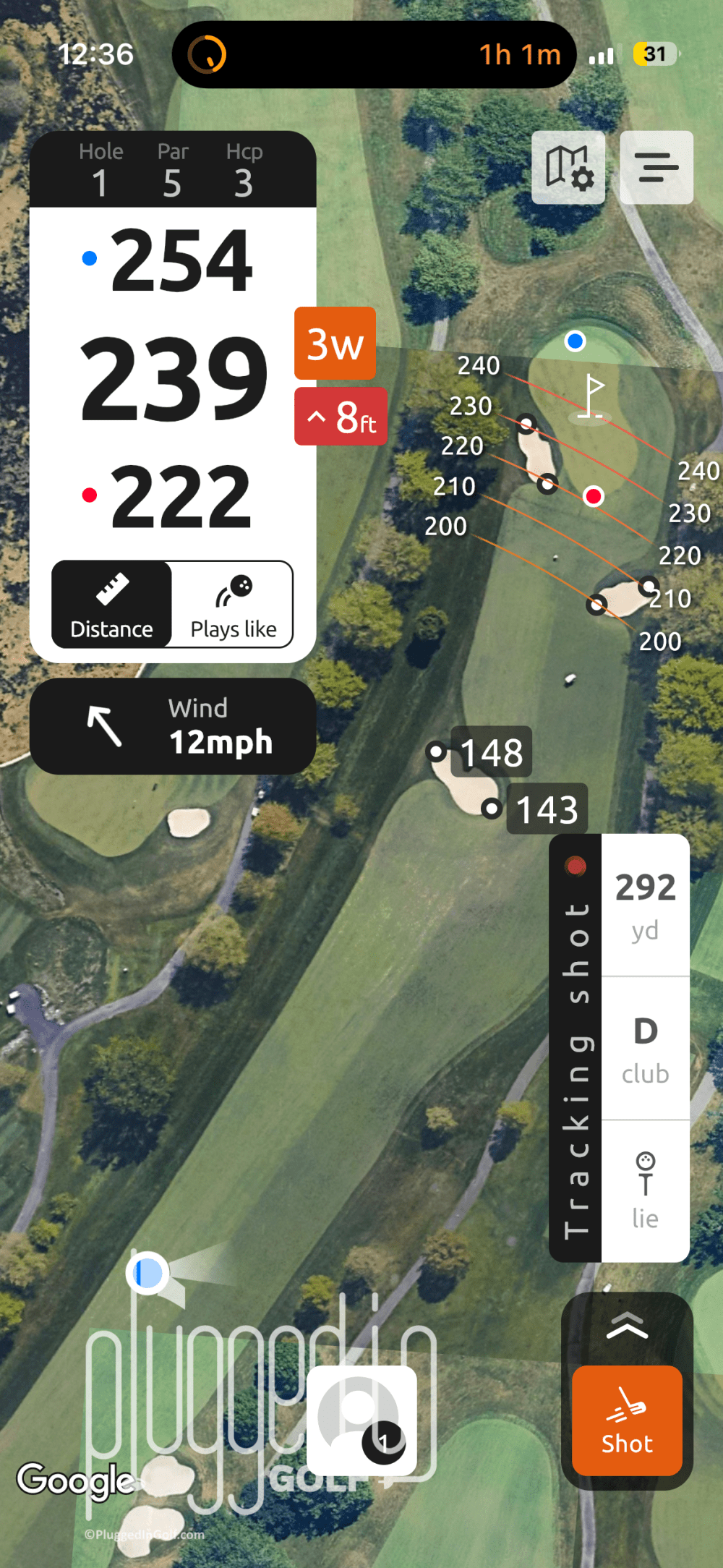
The two features I like best are the distance arcs and “Plays Like” numbers. From tee shots to layups, distance arcs are a boon to both pace of play and good scoring (which in turn, boosts pace of play even more). You don’t need to tap the screen a dozen times to see what trouble your 3W is going to find vs. your driver – the information is right there. The “Plays Like” distances – taking into account wind and elevation – are very helpful, and can be toggled on and off with one tap. [See Price / Buy]
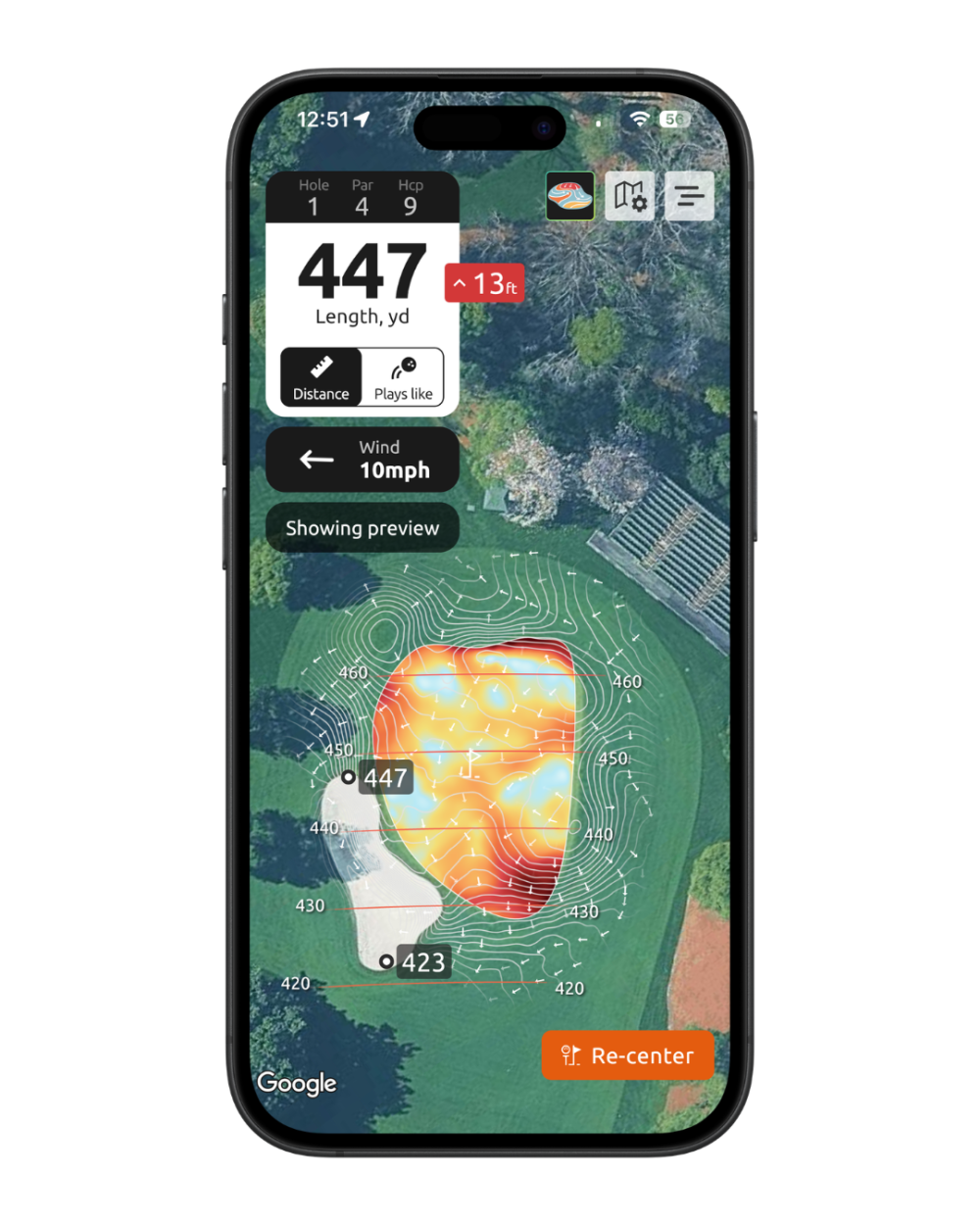
The biggest differentiator for 15th Club golf GPS app in Premium mode is the addition of animated Green Contour Maps (I used a stock image because 15th Club doesn’t allow users to screenshot the green maps). Green maps are nothing new, but the addition of animation promises to make them easier to understand. The animations can be turned off, and the animated maps are available only on the phone, not smart watches.
I’ve used and enjoyed different types of green maps in the past, and I think the animated maps on the 15th Club golf GPS app are the best I’ve seen. The animation speeds up the reading process, making it more obvious and intuitive. It also makes the green maps more useful. I think that green maps can be very valuable on your approach shot, but most golfers don’t want to pull out their booklet in the fairway for fear of slowing play. With the animated map built right into your GPS, you can see the overall green shape while you’re getting your yardage and make a better decision for your approach shot.
Value
15th Club golf GPS app is free to download and use, but there are paid features. For 2026, the annual fee for the Premium membership is $39.99 per year or $7.99 per month. They also offer their green maps a la carte for $4.99 per course.
If you don’t mind having your phone out on the course, using the free version of 15th Club is a no-brainer. And, if you like the app, I think $39.99 is a really fair price for the Premium features. [See Price / Buy]
Conclusion
15th Club golf GPS app pairs strong accuracy and a comprehensive list of features with the best user experience I’ve had on a GPS app. Everything in this app works the way it should, which means better decisions and more time spent on your golf, not your phone. [See Price / Buy]
The 15th Club golf GPS app is one of the best, most usable golf GPS apps. Free to use with a fairly-priced Premium mode that has meaningfully upgraded features.

He founded Plugged In Golf in 2013 with the goal of helping all golfers play better and enjoy the game more.
Matt lives in the northwest suburbs of Chicago with his wife and two daughters.
- Srixon ZXi RKT MAX Driver Review - October 16, 2026
- Mitsubishi Diamana WB Hybrid Shaft Review - October 14, 2026
- Dad Grip Review - October 13, 2026







Join the Conversation | 5 Comments
Hi Matt, such an interesting product. Thanks to a previous review of yours, I acquired a Shot Scope X5 and it’s been great for shot tracking and understanding my game. But what got my attention with the 15th Club app review is the green reading app. Although I downloaded the free version of the app, I was able to unlock a green map just for my course – a nice touch. My problem is that although the animations work with arrows buzzing around, I don’t actually know how to read a greens map, and take advantage of all the little arrows. Any advice on a resource that could provide a friendly tutorial?
Jyoti,
There’s nothing I know offhand to point you toward. In short, the arrows point the way that the ball is going to roll. As a simple example, if the green was a single plane tilting from front to back, all the arrows would point toward the front of the green. Most greens are not that simple, but the same idea applies: the ball breaks in the direction of the arrows. I hope that helps.
Best,
Matt
Hello Matt, how was it on battery life for your phone and watch? Were both close to dead at the end of 18?
Donald,
I only used a phone – no smart watch for me – and the app treated it pretty gently. I think a lot of that credit goes to the fact that you can turn the screen off when you’re not using it without “losing your place” in the round.
Best,
Matt
No better device/app combo exists that can top Shotscope V or X5 Watch with club tracking/shot tracking tabsangd robust app, NO FEES EVER. No need to shlep your phone around and no need to use “3 taps” to indicate shot and club. Green reading maps other than the one GolfLogix offers are hard to use and interpret and are basically a crutch that will prevent you from ever developing your own necessary green reading skills.