

50 Words Or Less
The Shot Scope Apple Watch app is loaded with features like green maps and shot tracking. Lots of value with no ongoing subscription fees. Using shot tracking requires work during your round, but depending on how much you value the data, it can be worth it.
Introduction
When it comes to rangefinders, GPS devices, and shot tracking devices, there’s a balance of what is helpful in shooting better scores vs. what is too much technology and information to manage during a round of golf. I’ve rotated back and forth on bringing a rangefinder to the course or just using a basic Apple Watch with GPS to tell me distances. Many factors go into that decision but the holy grail has always been how can you get it all: GPS hole maps, GPS distances, shot + scores tracking, course strategy, club suggestions, and post round game improvement statistics.
Asking a single app to do all this on your wrist is asking a lot, but the My Shot Scope Apple Watch app makes the case that it is possible to have it all on a device you already own. With arguably the deepest feature set compared to competitors and an affordable lifetime price (no subscription fees), its case is a compelling one.
Set Up & Ease Of Use
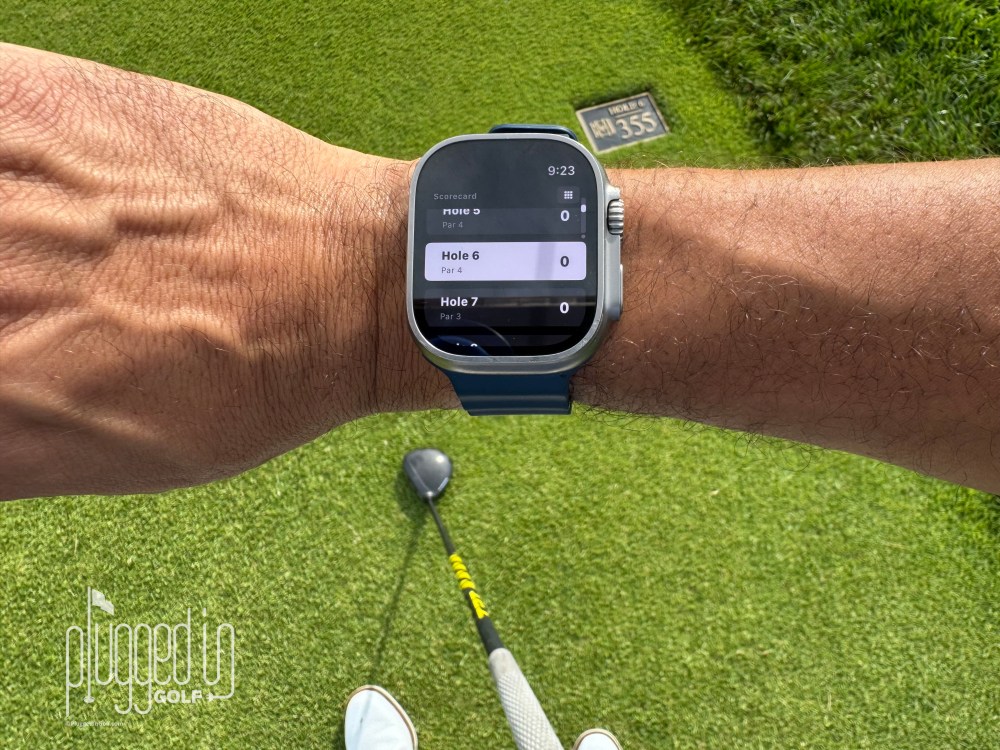
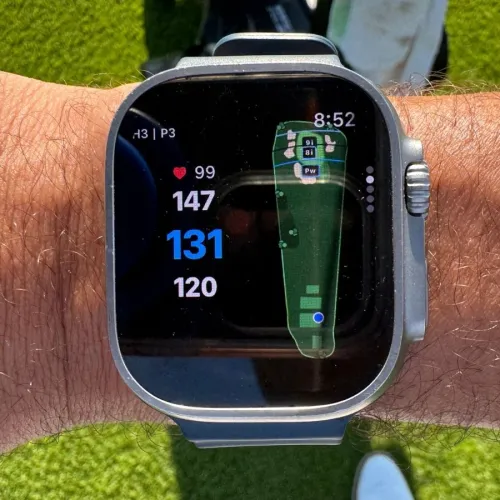
Many devices in the Shot Scope ecosystem require virtually no setup and are ‘plug and play’. The My Shot Scope Apple Watch app is the same in that you just download it, launch the software to your Apple Watch, and you can tee off immediately. You’ll be able to look down at your wrist and get great GPS distances front/middle/back, green heat maps, and hole maps right away. The watch software utilizes the same Shot Scope database of over 36,000+ golf courses.
In order to get the full benefits of the My Shot Scope Apple Watch app, you need to set up an account and map your bag. Once you have created your bag, the app will make club recommendations for your shots. Over time, it will get smarter based on your previous rounds with the suggestions of what clubs to hit for specific distances. You could call this essentially a virtual caddy on your wrist. I found where it’s really helpful is those situations of being in between clubs when you don’t remember if your 8 iron really carries 135 or 145. The database of shots it remembers won’t let you lie to yourself about exactly how far you hit it. [See Price / Buy]
Shot Tracking
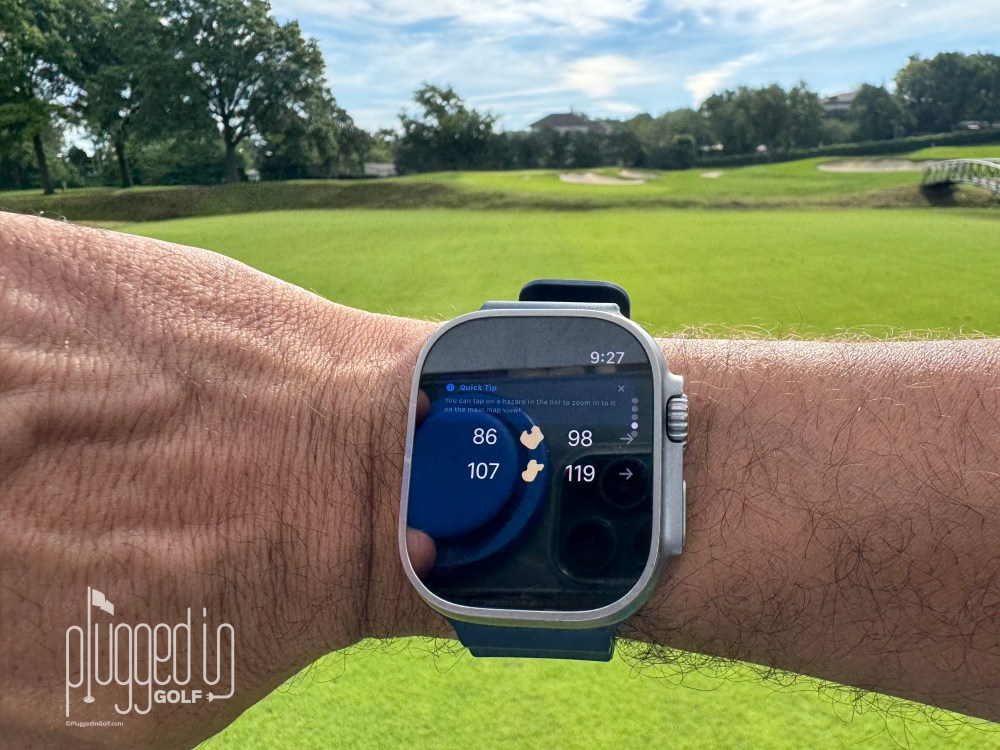
For shot tracking, there is no additional hardware you need on your golf clubs. The tracking process is all done by interacting with your watch as you play. When you step up to hit a shot, there is a tagging icon/button you press to select your club. That’s it. You are required to do this for each shot so the Shot Scope Apple Watch app tags exactly where you hit your shots on the course.
When your ball is on the green, the watch automatically goes into a new mode that does require you to tag each of your putts. You might be wondering why it’s worth this effort. This GPS data is what allows you to see things like the total of feet of putts you are making in a round, your approach shot proximity data (on green, missed greens, misses left vs. misses right of green), and other advanced statistics captured in the Shot Scope MyStrategy software.
For some people, that’s too much technology interfering with the flow of a golf round. It took me two rounds to get comfortable, but when you see the data and Google Maps shot-by-shot, hole-by-hole, it feels worth the extra steps. Post-round, using the MyStrategy software, you can utilize Shot Scope’s platform to get strokes gained statistics and tips on how to shoot lower scores.
If you want touch-free shot tracking, check out the Shot Scope X5 HERE
GPS Features
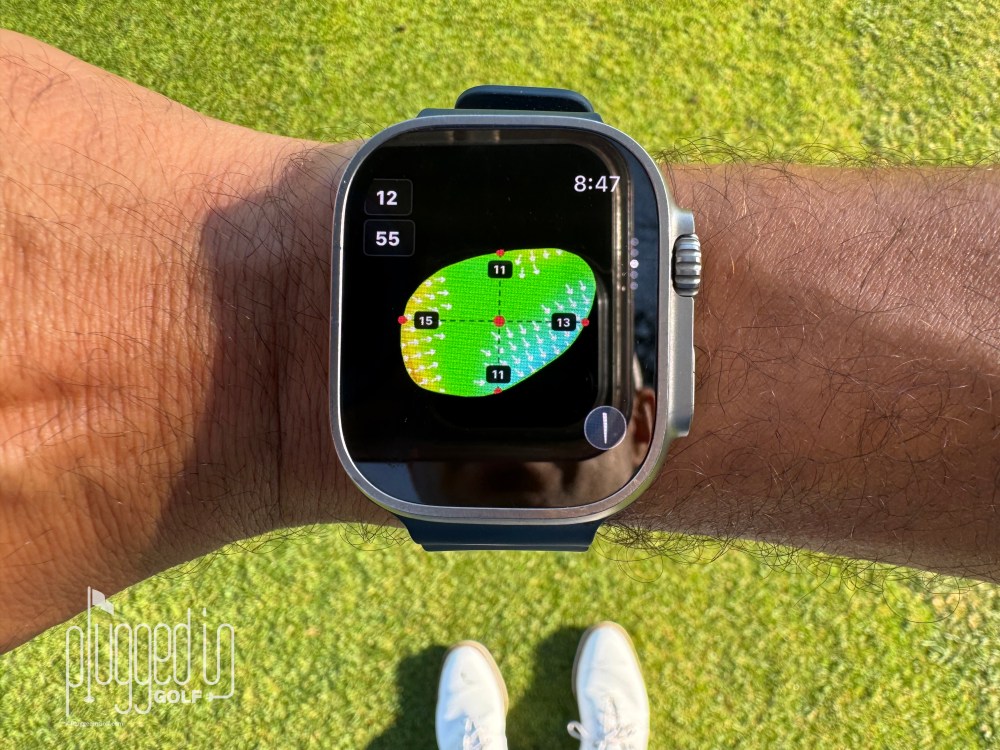
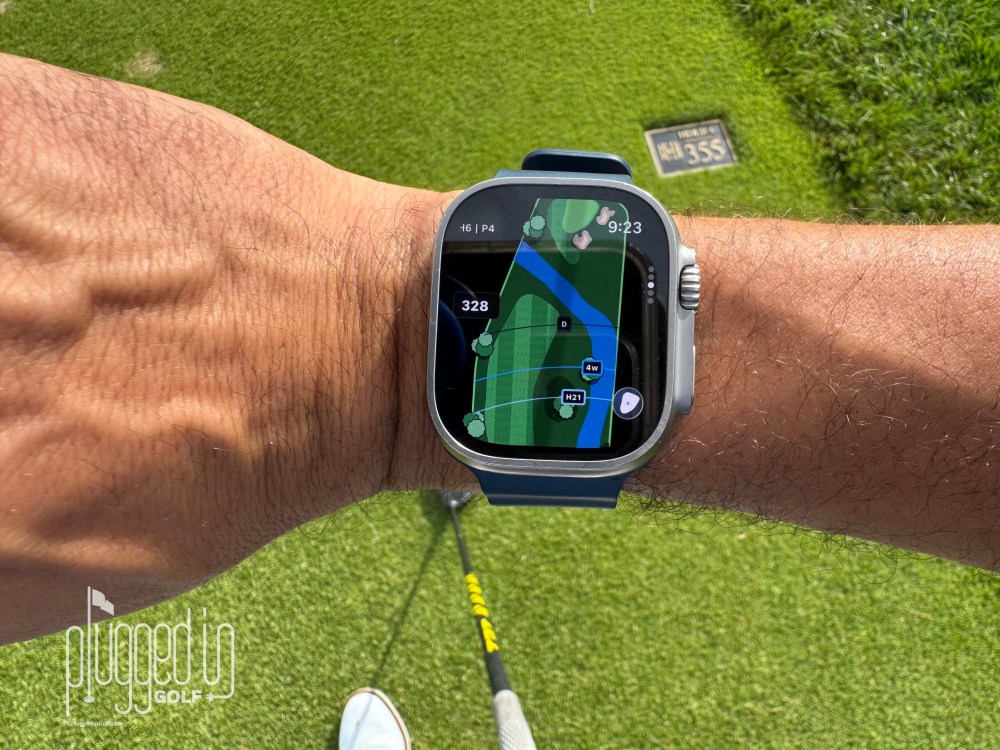
When you step up to hit any shot, the main display on the Shot Scope Apple Watch app shows you front, middle, and back distances as well as a color layout of the entire hole. The GPS approach distance views are interactive – you can tap and hold to see different yardages and club suggestions based on where you want to hit the ball.
There are additional screens you can access when using the Apple Watch crown scroll. The first screen zooms in on the green to see distances, overlays showing your estimated distances for each club of where your ball would go, and you can tap to see the green contours/slopes. The second screen shows the distances to the front and back of each hazard. It’s impressive that all this data exists in the Shot Scope Apple Watch app.
Value
There are a lot of attractive features to the Shot Scope Apple Watch app, but the best part might be that paying $150 gets you a GPS golf watch for the rest of your lifetime. Even if you decide not to use the shot tracking features, if you are an Apple Watch owner, you will always have a GPS golf watch. Shot Scope has a chart illustrating the subscription fees of other competitors which total between $300 and $500 over 5 years.
If you’re not familiar, we have an entire review of the MyStrategy software [find it HERE] that’s included with a subscription to this App. These are advanced statistics you get when using MyStrategy to build your own training plans, pre-round strategy, and see post-round shot-by-shot plots on Google Maps. The feature of seeing your round visualized on Google Maps might not sound useful, but when you play a bucket-list course, it’s fun to have that recorded and accessible to relive the round and illustrate the story of exactly how you played. [See Price / Buy]
Conclusion
If you already own an Apple Watch, the Shot Scope Apple Watch app is worth trying out. There is a free 3-round trial so you can make a decision even before purchasing. No hardware being installed on your clubs for shot tracking is very appealing. While there is a learning curve to the flow of using the app during your round, the data you get to shoot lower scores at the price point is a great value. [See Price / Buy]
The Shot Scope Apple™ Watch app brings GPS, performance tracking and course management features directly to your Apple Watch, giving golfers instant access to accurate distances, detailed hole maps and performance insights on 42,000+ preloaded courses worldwide.








Join the Conversation | 10 Comments
Do you have to have an iPhone charged up, and paired to the Apple Watch, or can the Apple Watch handle all functions on its own?
Hi John, my understanding is you only need your iPhone initially when you start your round (it downloads the maps) and after your round (it syncs/uploads your data). You do not need your iPhone while you are playing. BUT what’s if you have the Apple Watch Ultra and if you have an active cellular plan, you can leave your iPhone at home and use Shot Scope directly from your watch start to finish.
Can you give a comparison to how this compares to Shot Pattern?
Hi Jason, I actually have this App on my phone, but I don’t think it’s fair given how little I’ve used it to do a full comparison item by item to Shot Scope. One thing I do remember is that the interface mainly relies on your iPhone, whereas Shot Scope is 100% usable on your Apple Watch.
I’ve been a Tangent user, which it feels like a similar software and utilizes an iPhone display and Apple Watch companion, for about a year. I hit the renewal date and didn’t automatically pay up as I’m debating whether to continue paying each year. If you’d like the date analysis and the advice from a virtual caddy, it can be really cool stuff. There are times so where I wonder whether it’s all worth it and how much it really affects the outcome. Thank you for the thorough and thoughtful article.
I’m not familiar/experienced with Tangent, but I’m glad you enjoyed the review RJ.
I am currently using Arccos Sensors (Second Gen that don’t require membership). How does the data and ease of use compare to the new Arccos system with their improved interface, stat tracking and AI integration?
Hi George, I haven’t used the most updated version of Arccos extensively so I can’t give a bulletproof comparison. However, I can tell you that Shot Scope’s (MyStrategy) has a very easy to use interface, especially on desktop/web browser (no App needed to install on your laptop). It’s extremely data rich on post round data.
When I had Arccos I’d use it with my Apple Watch. The functionality was great but the battery life of the Apple Watch is absolutely pathetic and ultimately why I got rid of Arccos 2-3 years ago (and eventually my Apple Watch too). The app just needed so much juice to get through a round that I never once made it through 36 holes without it dying. Even after 18 holes in the morning, my watch would die by mid evening.
So I’m curious, how does this new SS app affect battery life of the watch? If I could get through 18 and a whole day, this might be an app I consider.
Has there been any info or talk by SS about integrating the app features with LM1 data to help make club selections? To me that might be easier than having to select your club for every shot on the app, which I must admit is a bit much for me, even after reading your thoughts on ease. I have a hard enough time remembering how to the get the ball in the hole! I don’t always remember to tap my watch.
I still think the SS X5 is great and what I currently use. I can get through 72 holes without a charge.
Hi Matt, I know what you mean RE: the battery life of Arccos when you are using the “detect shot by sound” feature. Your watch needed to be almost 100% charge when you started the round to last all 18 holes for me! That said, with Shot Scope I didn’t run into battery issues. I several times have gone on morning GPS tracked runs (which uses a considerable amount of battery) before my full round of golf with Shot Scope and it did just fine the entire round in terms of battery life. To answer your other question, I’m not aware at this time of the LM1 being connected in their ecosystem to the Apple Watch App. Keep in mind, part of the reason you have to tap the watch before you hit the shot is there is no hardware or sensors on your clubs, so the App needs to know what you are hitting and where you are hitting it (GPS) hence the reason for selecting your club for every shot.