50 Words or Less
The Garmin Approach G82 is a combination handheld GPS and launch monitor. Large 5” touchscreen displays quick and accurate yardage data. Launch monitor provides basic data for both clubs and putter. Simple to use overall.
Introduction
As we reported in our “Best of the 2026 PGA Show” [read it HERE], technology was on display everywhere. From simple laser rangefinders to blistering slick golf simulators, technology was never more than a couple steps away. For me, one of the most intriguing products was the Garmin Approach G82, which is both a large handheld GPS and a launch monitor. While the combination isn’t totally new (the Approach G80 has been around for several years now), the new unit has a more substantial look and feel. Is it right for you? I spent some time with the Garmin Approach G82 to answer that question.
Setup & Ease of Use
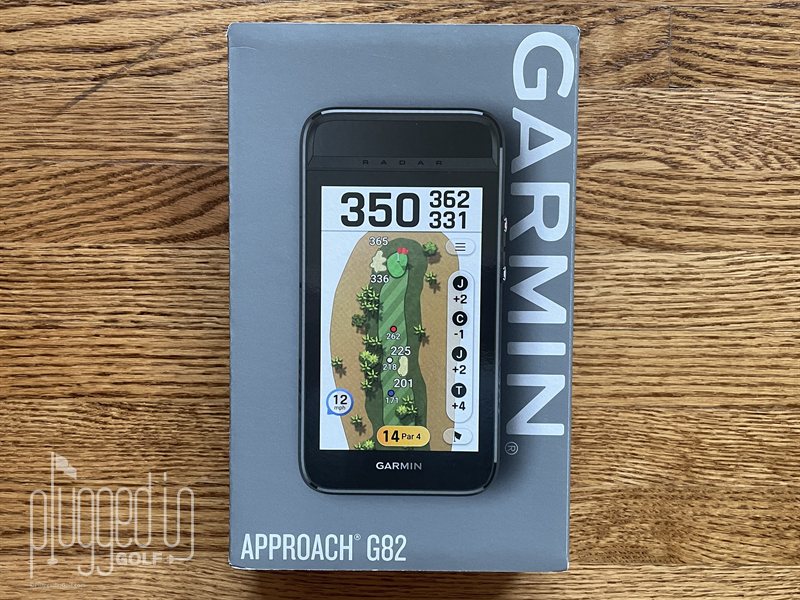
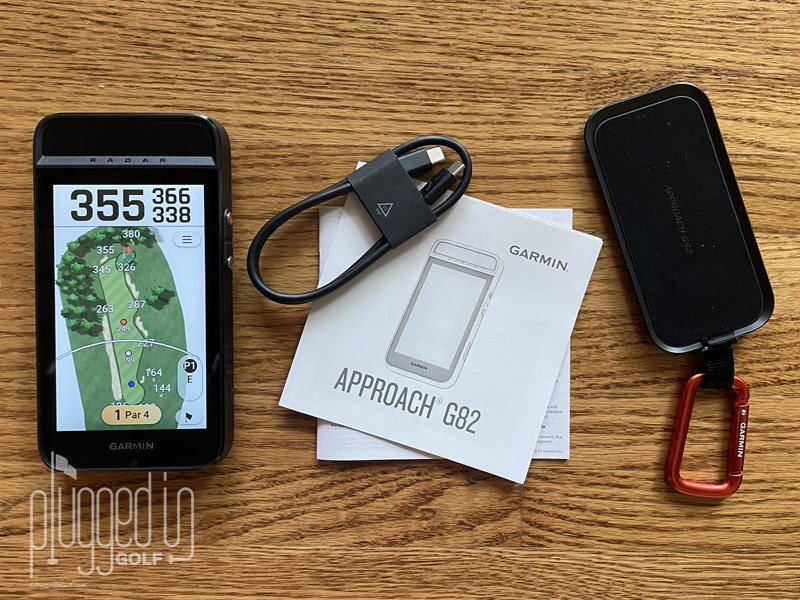
A simple thing, but one I’ve come to appreciate, is the consistency of Garmin’s boxes – grey with a large picture of the product, model clearly identified, and “GARMIN” down the right edge. In the box for the Garmin Approach G82, I found the unit itself, a radar stand with carabiner, USB-C cable, start-up pamphlet, and my favorite – the multi-language safety booklet.
The graphic-centric start-up pamphlet identified the basics, but like so many tech devices these days, the key is to turn the unit on (top button on the side) and engage the screens. I found the graphics intuitive and navigation simple. The only thing I had to get accustomed to was the responsiveness of the massive 5” touchscreen that’s not quite as quick as my iPhone.
When you power on the Garmin Approach G82, the device enters the GPS mode automatically, searching for nearby courses from over 43,000 that are preloaded. Present along the bottom of the display are three icons: practice, golf, and settings. Standing at the driving range and eager to check out the launch monitor, I engaged the practice icon.
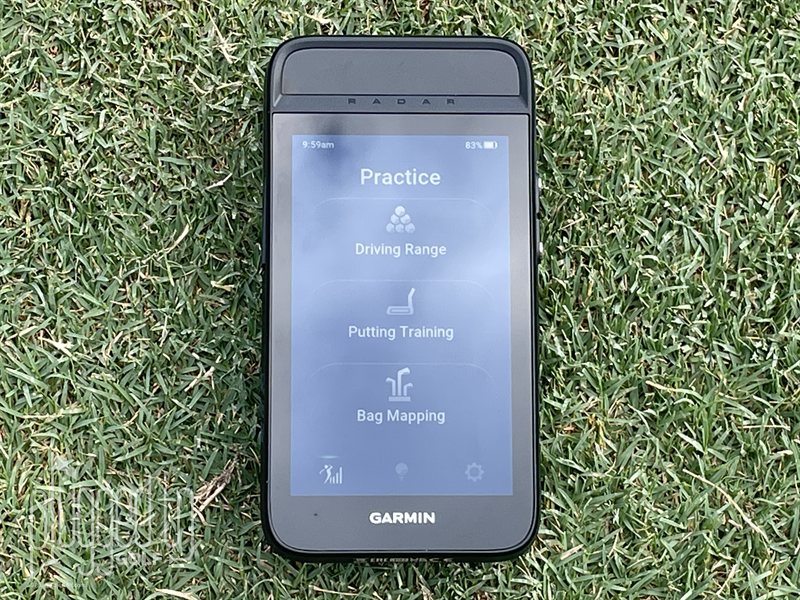
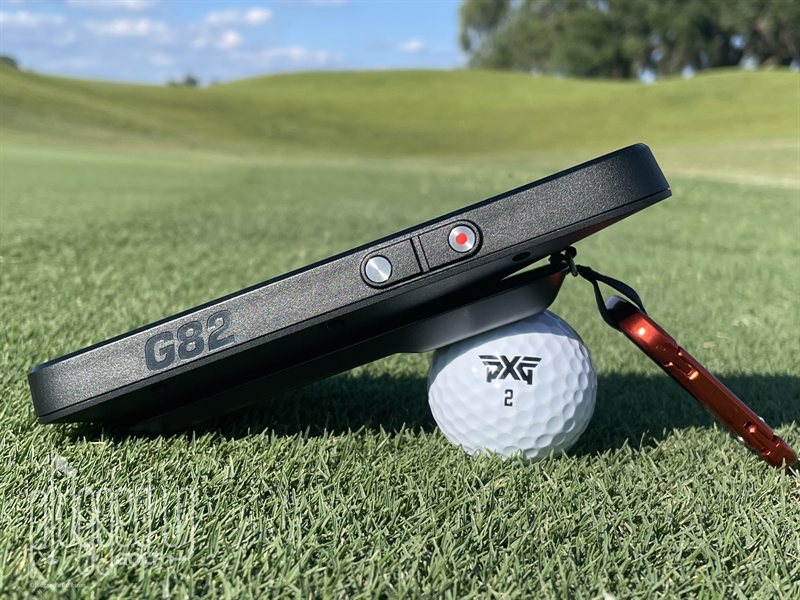
The photo above shows my options, and I started a Driving Range session. Setup was simple – attach the radar stand to the Garmin Approach G82 and prop the combo unit on a golf ball. The stand can only attach magnetically in the proper orientation and has a spherical cavity for the ball interface – easy. You align the unit perpendicular to the target line and 12” from the ball.
The Garmin Approach G82 captured every strike, and the screen data was readable from the address position. For me, the only negative to that setup (besides getting dirt on the screen as you’ll see shortly) was that I had to move the unit as my bacon strip of divots grew. Swiping the screen left or right brings up the Tempo Training and Target Practice options.
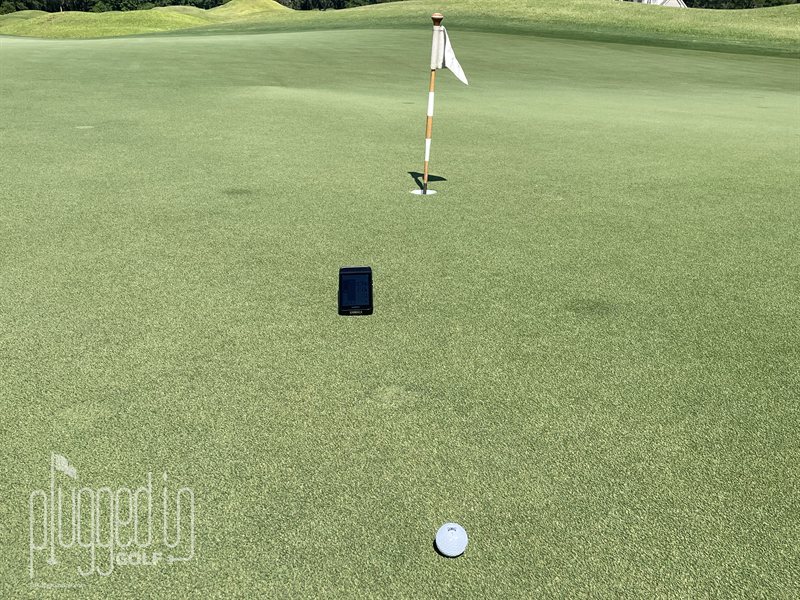
Putting Training takes a different setup. This time the combo unit sits parallel to and 6” off the putt line, and 3 feet from the ball. Again, easy to setup. Back and forward stroke lengths are captured and displayed along with the forward/back ratio (more on that in the next section), as well as the ratios of last three putts.
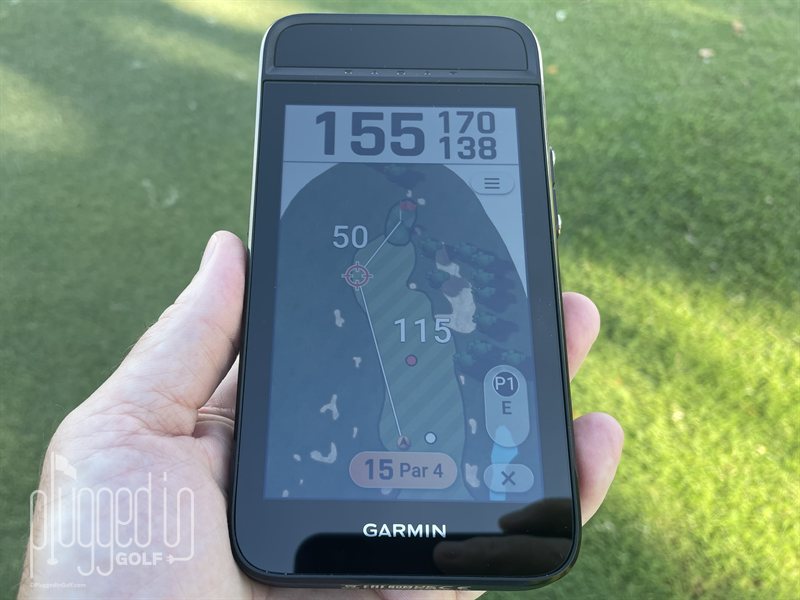
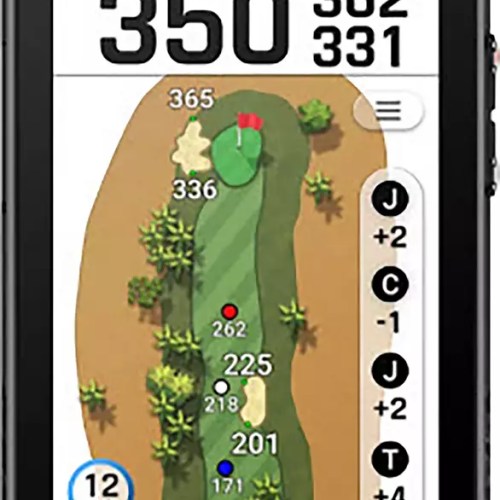
Ok, now on to using the GPS feature of the Garmin Approach G82. If you have used a Garmin Golf GPS watch like the Approach S70 [review HERE] the operation will be intimately familiar – and simpler with the large screen. Even if you are new to the Garmin family the Approach G82’s learning curve is short. Follow the prompts on two screens and head to the tee box. Distances update quickly as you move along the hole. I love being able to see the distances to hazards, and if I needed to cypher the distance to a particular layup position, a touch of the screen displayed the desired data.
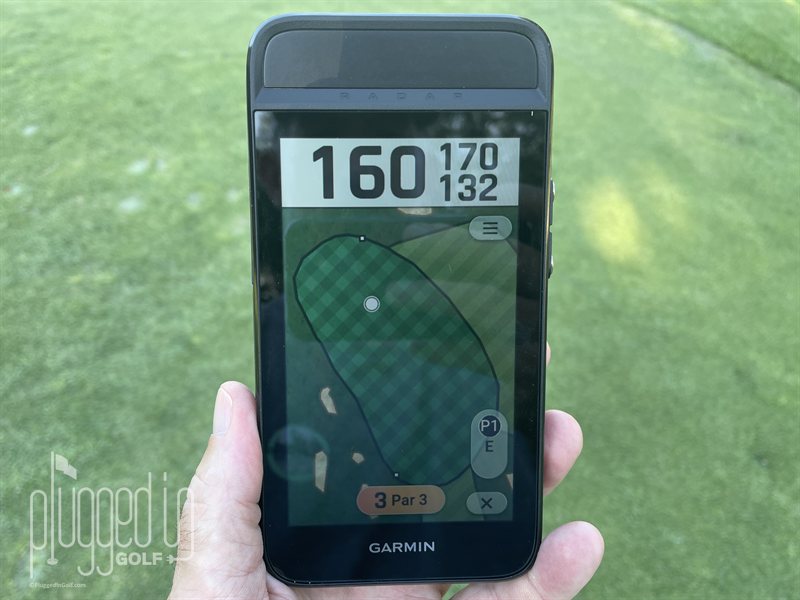
A touch of the flag icon brings up the green view, and from there you can manually move the pin position. If you have a pin sheet and are really into precise distances this can be a valuable tool. It’s a cool feature, but not one I ended up using. There are more cool features under the three-line options icon: Virtual Caddie, Scorecard, PinPointer, Wind, Measure Shot, Custom Targets, and Settings. The names are indicative of their function, so I’ll skip the details. But do note that some options, like Wind, require the Garmin Approach G82 to be paired with the free Garmin Golf app.
One last feature deserves a note – the ability to utilize the radar while in GPS mode. Simply pressing the lower button on the side engages the radar, bringing the Driving Range option to the fairways. I’m not sure how I’d utilize this feature, but I’ve seen pros doing similar with their high dollar launch monitors, so there’s clearly something to be gained. [See Price / Buy]
Accuracy & Performance
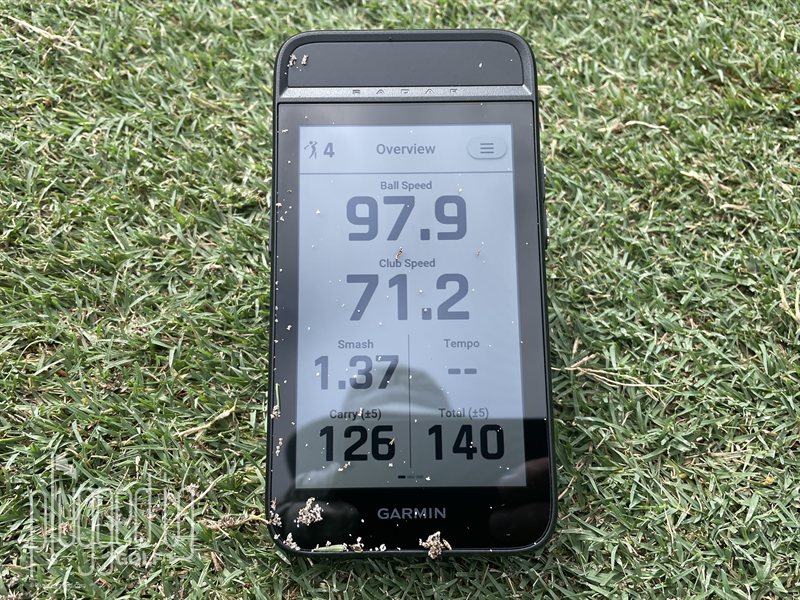
Thanks for hanging with me – there’s a lot to cover with a dual-purpose device like the Garmin Approach G82. Getting back to the Driving Range feature, I encountered mixed results in testing against my FlightScope Mevo Gen2 [review HERE]. Let’s start with stating clearly that the Approach G82 radar only reads speed – no spin, no launch angle. Distances are calculated solely on speed. That said, club head and ball speeds were within a few mph for both my 7 iron and driver between the two launch monitors.
When looking at carry and total distances the averages were within 5 yards with the 7 iron, but were right at 10 yards off (G82 numbers being lower) with the driver. Garmin makes it clear in the Owners Manual (I recommend downloading it from the Garmin website) that yardages are estimated, and even include +/- 5 on the display screen. In the Driving Range Settings under the “Set Roll Factor” option I found this wonderful statement accompanying a slider bar: “If you aren’t getting the result you expect, adjust the setting to increase or decrease your roll.”
Wrapping up the Driving Range features, I found the Tempo Training seemingly accurate. I didn’t have a valid method to test the times presented by the Garmin Approach G82, but they appeared indicative of my swing. And when I purposely sped up or slowed down my back or down swings, the times and tempo ratios followed suit.
I appreciate that Garmin allows you to choose a representative swing speed for comparison from ‘amateur slow’ all the way up to ‘pro fast.’ As for the Target Practice feature, it’s a solid way to gauge your distance consistency. Selecting 75 yards, my stock 54° wedge distance, I was able to hit multiple shots while the G82 collected the data, noting which ones were within 4 yards, along with a running average. The only caveat on the data is that it doesn’t capture side to side dispersion.
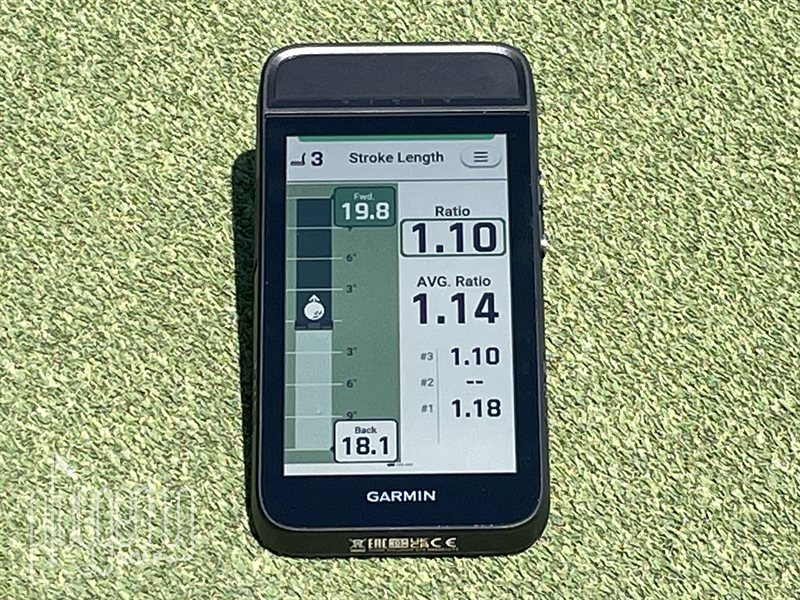
Putting Training is all about tempo and stroke length. Garmin states in the Approach G82 Putting Tips that “most elite putters use a 2:1 tempo ratio no matter what distance they’re putting.” With this philosophy, backstroke length is what governs distance – a concept I definitely embrace. I can certainly see using the Garmin Approach G82 to calibrate backstroke length relative to putt distance. I know that can be effective because I’ve witnessed Matt Saternus nail plenty of long putts after pacing off the distances.
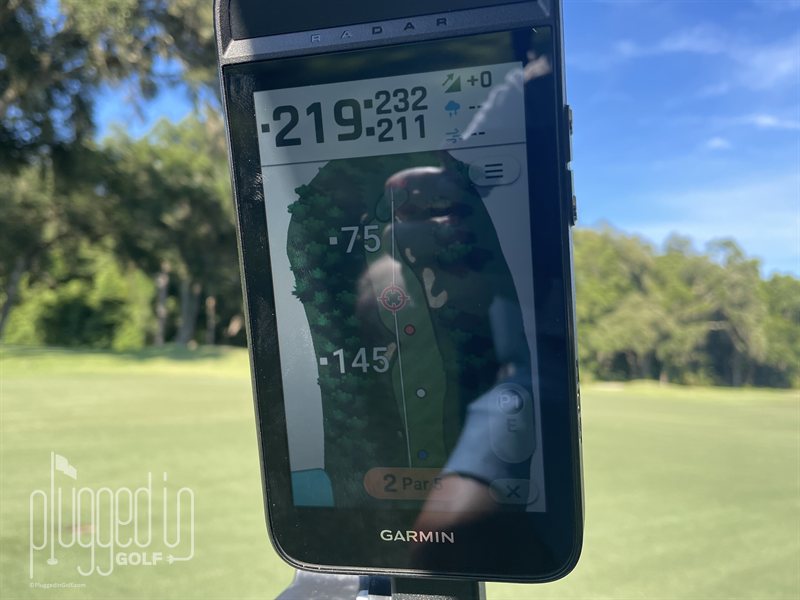
With the radar stand removed, I attached the Garmin Approach G82 to my golf cart via the very strong magnet and proceeded to spot check distances around the golf course against my Garmin Approach G20 Solar [full review HERE], the Mileseey GenSonic Go Handheld GPS [see it HERE], and my trusted Nikon Coolshot Pro III Stabilized rangefinder [full review HERE]. As expected with Garmin being a world leader in GPS devices across many genres, accuracy was excellent. Occasionally there was a yard or two variance but nothing alarming – more of a curiosity when it was with two Garmin devices side by side as captured below.
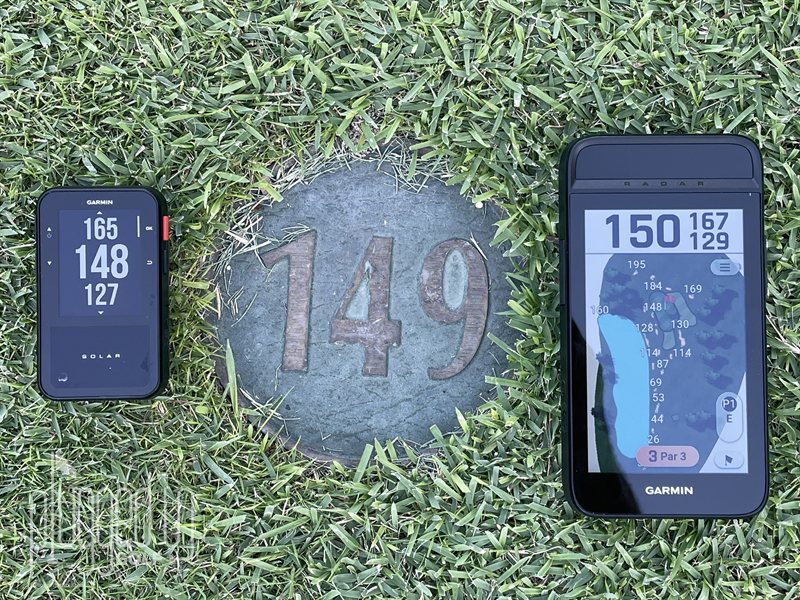 While the Garmin Approach G82 did fit in my hand, it stretched the definition of being a handheld device. Weighing in at 10.9 ounces – it’s heavy, regardless of whether I’m slipping it in my back pocket or hanging it on my bag. It is worth noting that Garmin states that the Approach G82 battery life is 25 hours while in GPS mode, and 8 hours when in radar mode. That’s pretty impressive when so many rechargeable GPS devices are more in the two rounds or 10 hours range.
Value
The Garmin Approach G82 retails for $599, which is arguably a reasonable price for what it is. Let me explain. As an entry level launch monitor, the best comparison is the ShotScope LM1 [review HERE] which retails for $199. Comparing the Garmin Approach G82 to other large screen handheld GPS, two units come to mind: the SkyCaddie PRO5X [HERE] and the ShotScope H50 [HERE], $399 and $199 respectively. That brings the comps to the $400 to $600 range. Add in the Approach G82 putter training and the fact that it’s a bundled product, and the price seems reasonable.
That said, this might be a tough sell for the average golfer, but who out there truly fits the ‘average’ moniker? Golfers already in the Garmin ecosystem who likely have a Garmin Golf subscription ($10/month or $100/year) will love the beautiful green contour mapping and arial imaging. Value – always subjective – will depend not only on your wants and needs, but also what devices you own or plan to buy. [See Price / Buy]
Conclusion
So, who’s the Garmin Approach G82 for? The golfer who’s serious about warm up sessions on the range, wants to improve their putting distance control, and prefers large screen GPS data for making smart decisions on the golf course. Or really any two of those three. And of course, the golfer who wants the latest and greatest of anything.
For me, I love the strong magnet and large display (my photos don’t do the graphics justice) for when I’m riding in a golf cart. Plus, I appreciate the long battery life. Will I continue to use the radar aspect? Not likely until the temperatures turn cold, and I get curious about how far I’m hitting the ball when I’m bundled up. There are more options and cool features that I didn’t even mention, and if you’re at all intrigued about the Garmin Approach G82 after reading this review, please visit the Garmin website and learn more. [See Price / Buy]
Slim, lightweight design built for junior golfers. ComfortFit fabric band that stays secure without affecting swing.

- Garmin Approach Z10 Rangefinder Review - September 29, 2026
- Alma Mater Beta Derby Golf Shoe Review - September 25, 2026
- MGI Sureshot PINLOC 7000 Series Rangefinders Review - September 9, 2026