

50 Words or Less
The SpineAlign AI Golf Coach app and training videos are easy to use and understand. Focused on a couple key fundamentals. Best used away from the course or range. Primarily for serious players intent on improving their swing.
Introduction
If you’ve never done it before, I would encourage you to go to a driving range and just watch the golf swings. You’ll see some of the craziest body motions you can imagine – standing up, crouching down, swaying, shifting, twisting, lunging, and more. And somehow, with all these…non-traditional…movements, golfers manage to get the club to the ball. Just imagine how good and *consistent* those golfers could be if their hands and arms weren’t compensating for wild contortions.
That’s the general concept behind the SpineAlign Golf app. This is a training app and methodology that wants to get you moving into the conventional, Tour-approved positions so that you can hit the ball better and more consistently. I tested it to see if it works.
Set Up & Ease of Use
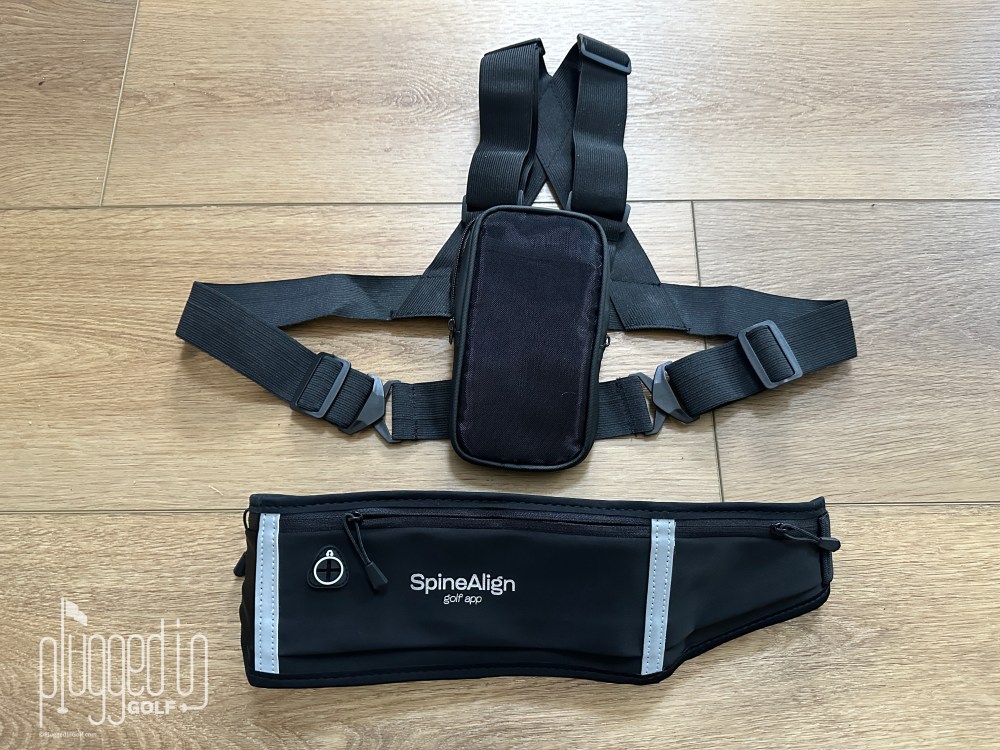
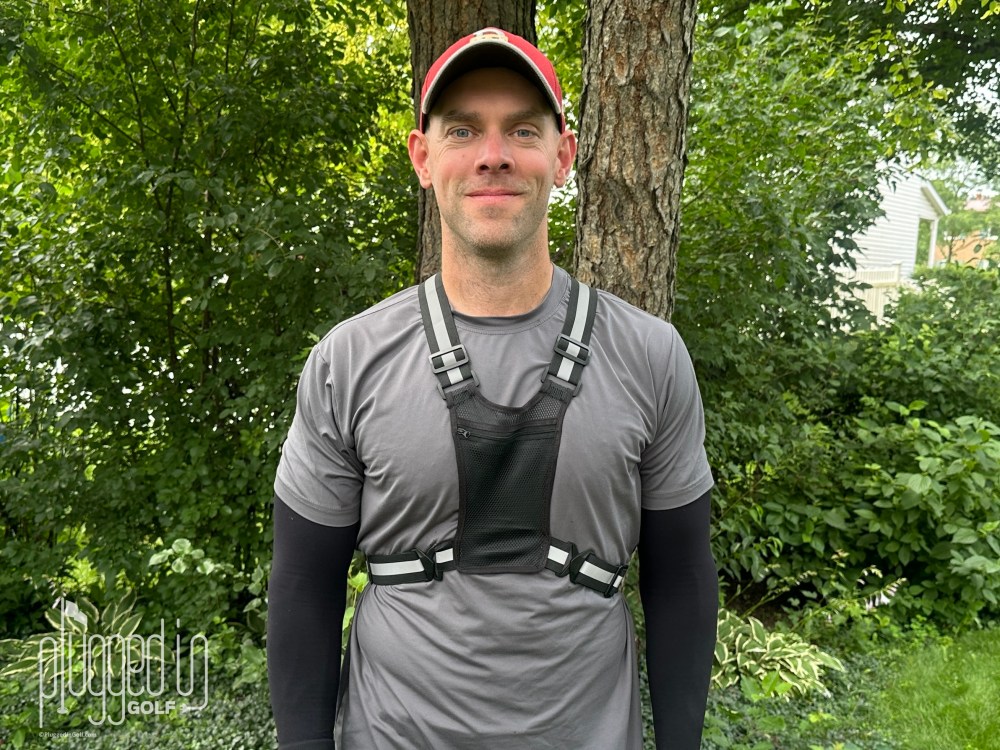
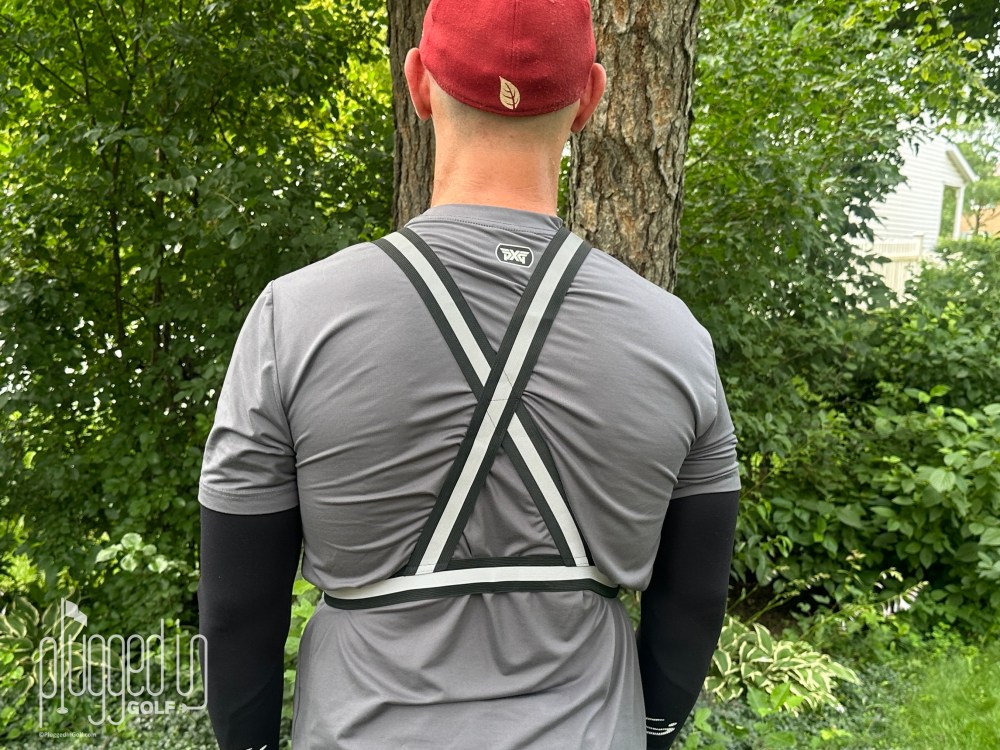
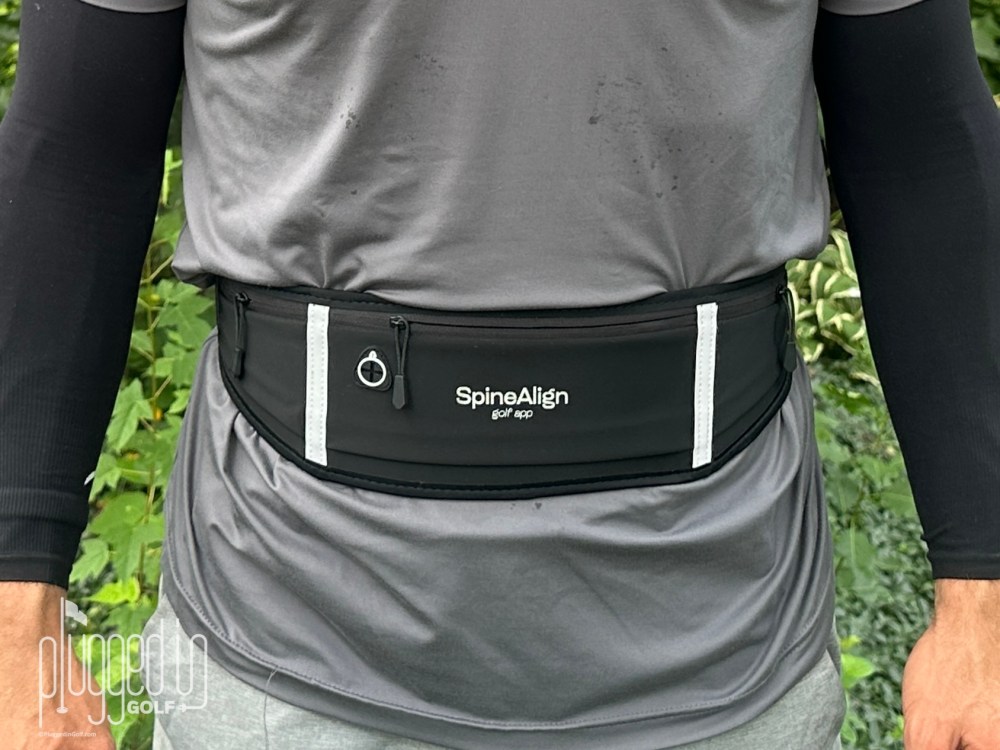
Let’s start with the physical elements of the SpineAlign system. There are three wearable phone holders: a lightweight vest, a pro vest, and a hip belt. Each of these devices is intuitive to wear and adjustable to fit a range of bodies. I prefer the “pro” (non-mesh) upper body training harness, but both work well. You definitely don’t need to own both.
Turning to the website, you’ll want to create an account HERE to view the instructional videos. It doesn’t cost anything to create an account and watch the lessons. You don’t even need to download the app. This is a good starting point if you want to see what SpineAlign is all about.
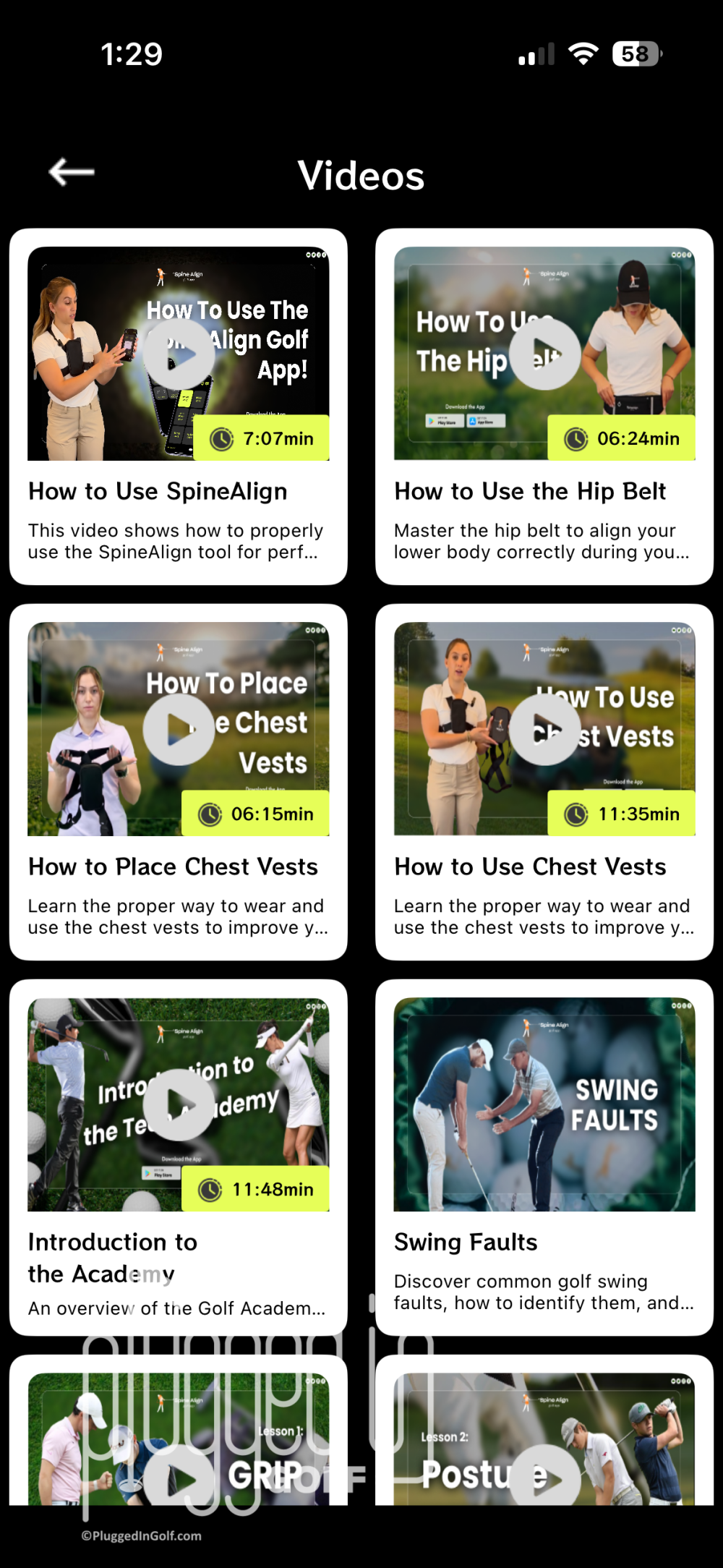
There are six lesson videos – Grip, Posture, Lower Body, Alignment, Full Swing, and Short Game – plus a few bonus videos. The lessons range from six to fifteen minutes and are of decent quality. I think the information and drills are good, but the videos are a bit slow and repetitive.
That brings us to the SpineAlign Golf app, available for Apple and Android devices. After you download this, you’ll need to create a new account, even if you have an account on the website. The app is free to use for 60 days, after which you have to actively opt-in. Huge kudos to SpineAlign for this ethical implementation. I’m sure almost everyone has dealt with subscriptions that automatically opt you into payments after the trial period. SpineAlign doesn’t.
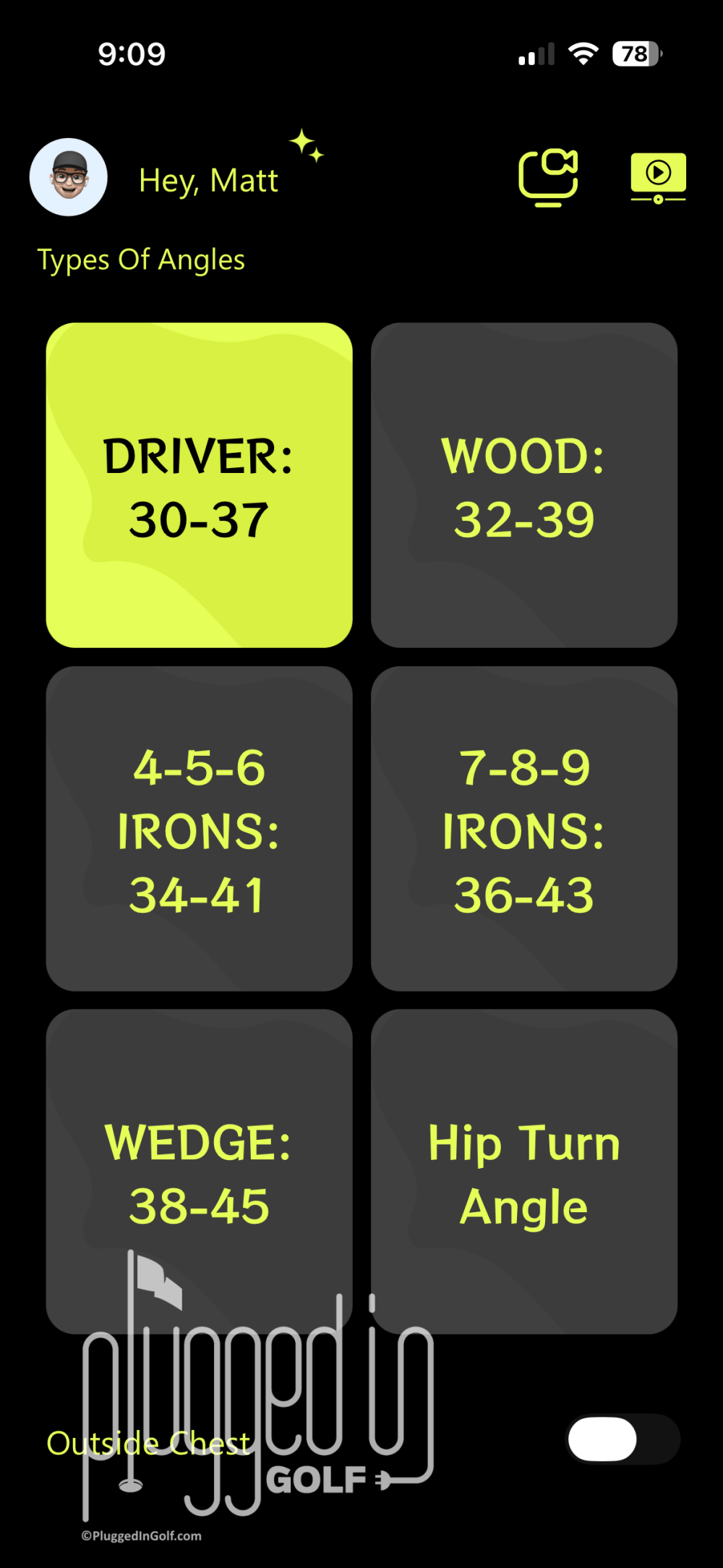
Using the app is easy if not intuitive. The app measures you spine angle at address, so you need to select the right club – Driver, Woods, 4-6 Irons, 7-9 Irons, or Wedge. You can also opt to measure Hip Turn Angle. Once you’ve made your choice, load your phone into the wearable holster, zero the measurements by saying, “Zero,” and you’re read to start training. The app makes sounds when you’re in the right positions. Understanding the sounds requires watching the videos.
You can access the lesson videos and “How to” videos directly from the app. This is important since some users may not be aware that the website exists. The very first video – “How to Use SpineAlign” – is seven minutes long and silent…you can skip this. Like the instructional videos, the “How to Use the Hip Belt” and “How to Use Chest Vests” videos are good but longer than they need to be. [See Price / Buy]
Effectiveness
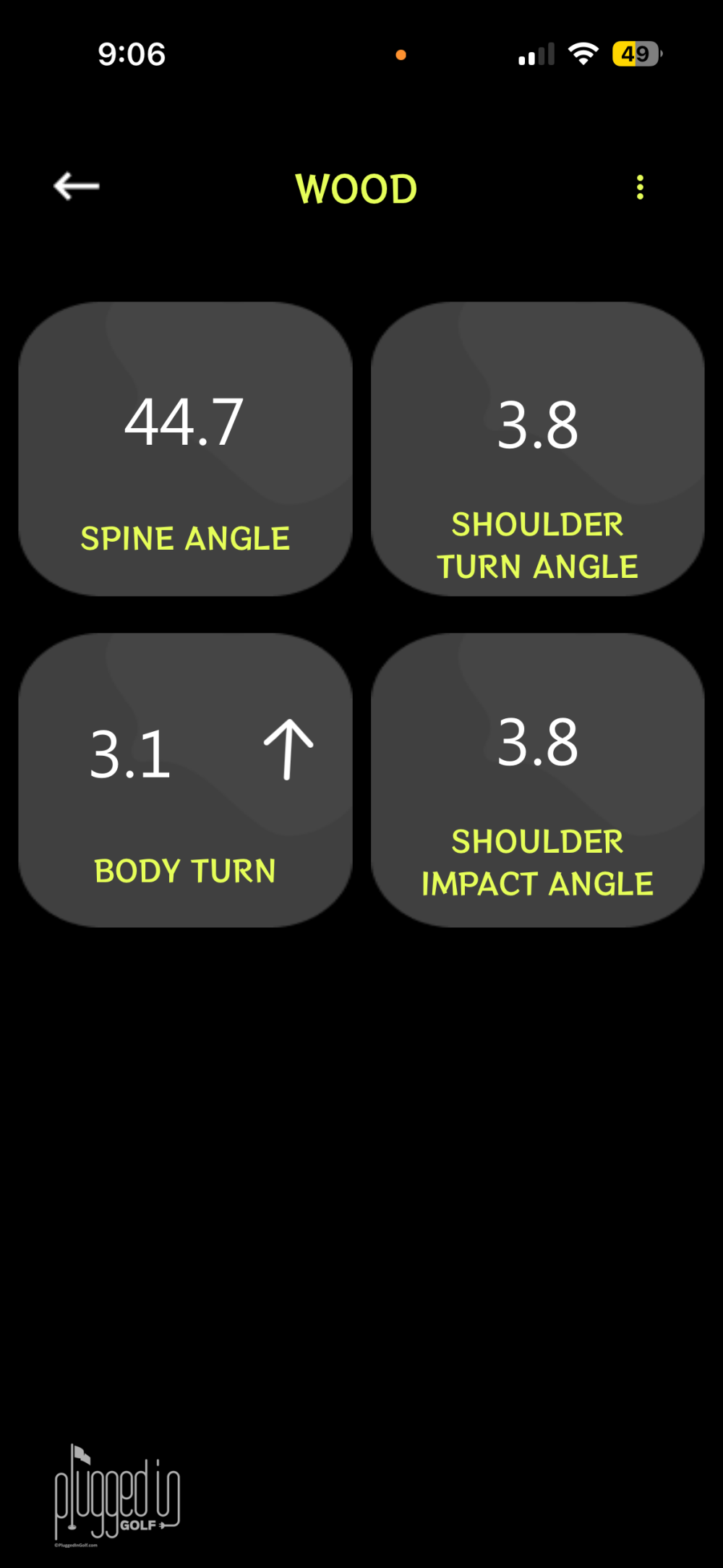
The goal of the SpineAlign Golf app is to get your body moving through the right positions during the golf swing. That starts with establishing the right spine angle at address then goes to your shoulder tilt at the top of the swing and impact. You can also measure your hip turn angle, cueing you to the preferred angles at the top of your backswing and impact.
The cues are different sounds – beeps, zaps, and “Yes” – that play when you hit the right positions. Quick note that should be obvious: if you’re going to use this at the range, you need to bring headphones.
Once you understand how the app works and what the sounds mean, SpineAlign is a very effective trainer. It delivers feedback that is immediate and clear – the single biggest thing we ask from any trainer.
Most of the drills in the instructional videos are done without hitting balls, or, in some cases, without even holding a club. This is fine, in my view, as it allows the golfer to focus on feeling the right movements rather than worrying about where the ball is going. Of course, you can use SpineAlign while hitting balls, but this is something I wouldn’t recommend until you’re consistently hitting the right positions.
It is worth mentioning the scope/limitations of SpineAlign. While there is some instructional material on the grip, hands, and wrists, the app only addresses body positions. I tend to agree that the hands and wrists will largely take care of themselves if the body is in the right positions, but it’s fair to acknowledge that you can get your body in the right spot and still hit some wonky shots.
The one other big negative I have to note is the “Swing Faults” database. This exists on the SpineAlign website and is linked from the app. For any of the nine faults (slice, hook, etc), there are over a dozen “Main Causes and Corrections.” These lists are so long as to be useless and often include opposite “causes” such as “Standing Too Close to the Ball” and “Standing Too Far from the Ball.” While I appreciate the sentiment of trying to offer golfers fixes to their specific issues, their ultimate answer is, “Use the app more,” which is a fine answer and should be kept that simple.
Longevity
SpineAlign is a wonderfully simple app, free of unnecessary menus and options. This makes it very quick and easy to use. Similarly, the wearable phone cradles go on easily, so there’s not much friction to getting started.
While you can use SpineAlign on the range, this is a trainer you can use anywhere that you have space to stand. In fact, I’d say it’s best used away from the range. You can knock out ten reps between emails a few times a day, and you’ll see real improvement.
The knock on longevity is that there’s nothing gamified about SpineAlign, and there’s no way to scale the difficulty up or down. I found the cues helpful – particularly the shoulder tilt at impact – but I didn’t find using the app particularly rewarding or joyful.
Overall, I would rate SpineAlign slightly above average for longevity.
Value
Subscribing to the SpineAlign app costs $10 per month of $50 for the year. You can buy the package of wearable phone cradles for $50, but you don’t need two chest holders, so the “real” cost is between $25 and $35. In sum, you can get a year of SpineAlign and the devices for under $100.
No matter what you compare SpineAlign to – other online training systems, conventional lessons, or training aids – it’s a strong value. For a modest investment, you get clear, organized instructional material and a solid training tool. [See Price / Buy]
Conclusion
If you’re ready to devote some time and energy to building a more powerful, consistent golf swing, the SpineAlign Golf app is a great place to start. While this is not a fun, gamified trainer, it does provide clear, immediate feedback to golfers who want to put the effort into building a more fundamentally sound swing. [See Price / Buy]
Elevate your swing with the world’s first golf training app that delivers real-time feedback for instant correction.


He founded Plugged In Golf in 2013 with the goal of helping all golfers play better and enjoy the game more.
Matt lives in the northwest suburbs of Chicago with his wife and two daughters.
- Mitsubishi Diamana BB Hybrid Shaft Review - September 23, 2026
- Golf Gear We Tested – September 2026 - September 21, 2026
- Wee Course at Harbor Shores Golf Course Review - September 21, 2026









Join the Conversation | 1 Comment
Hey Matt,
you’re looking good, low BMI etc. & strong.
You have an important site for us golfers. Best of luck to you & your team.